Disclosure: this article contains an affiliate link. If you buy through it, we may earn a commission.
Building a business that creates websites for local eateries is often harder than it looks because you have to balance professional design with the specific technical needs of a food service business. A Restaurant Agency Studio is a specialized WordPress-powered toolset designed to help agencies, freelancers, and consultants streamline the process of building and selling websites for restaurants. By providing pre-built styles, niche content packs, and a system for generating personalized demos, it aims to reduce the time spent on initial setup and client acquisition.
How the Studio Streamlines Restaurant Projects
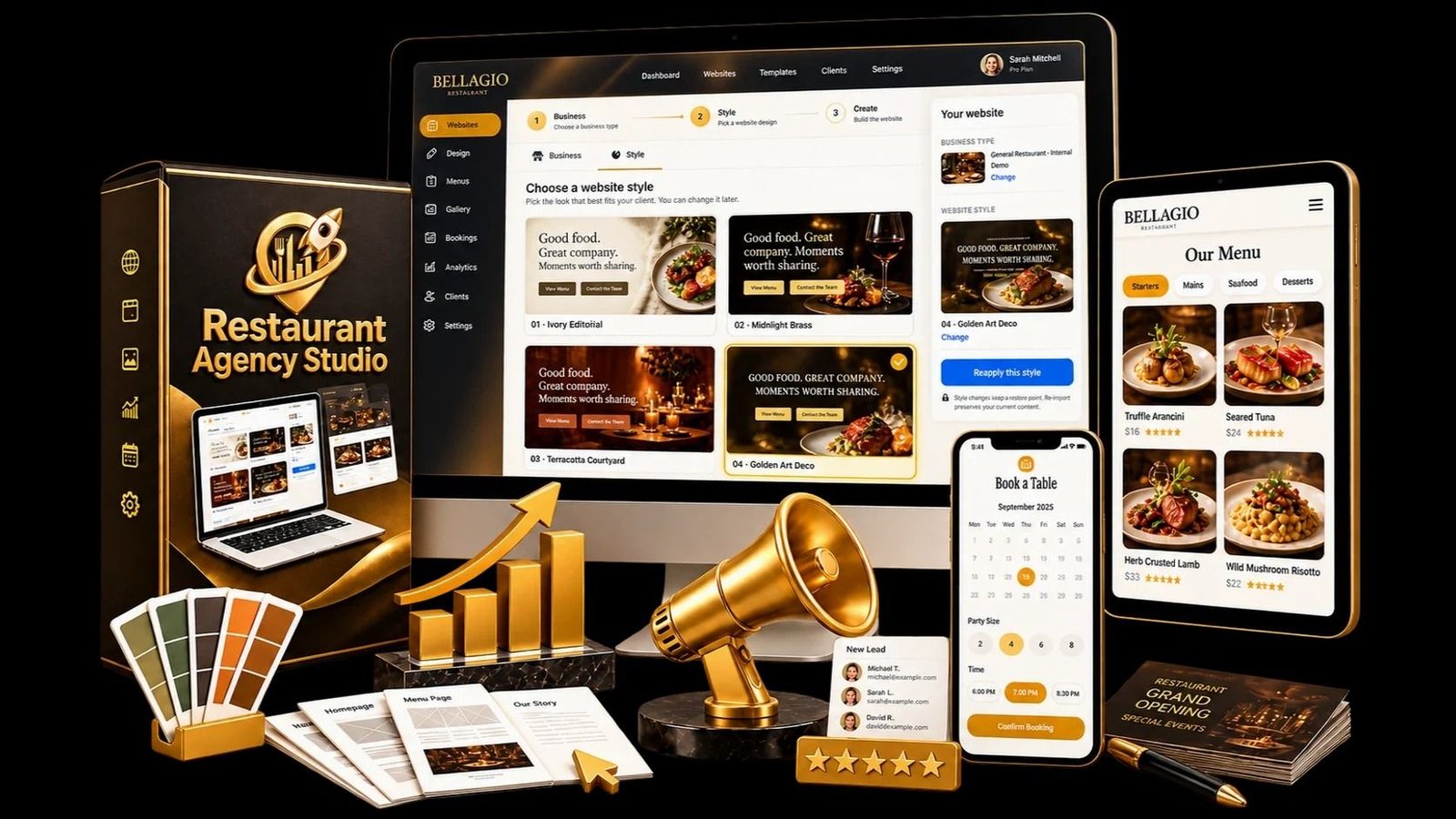
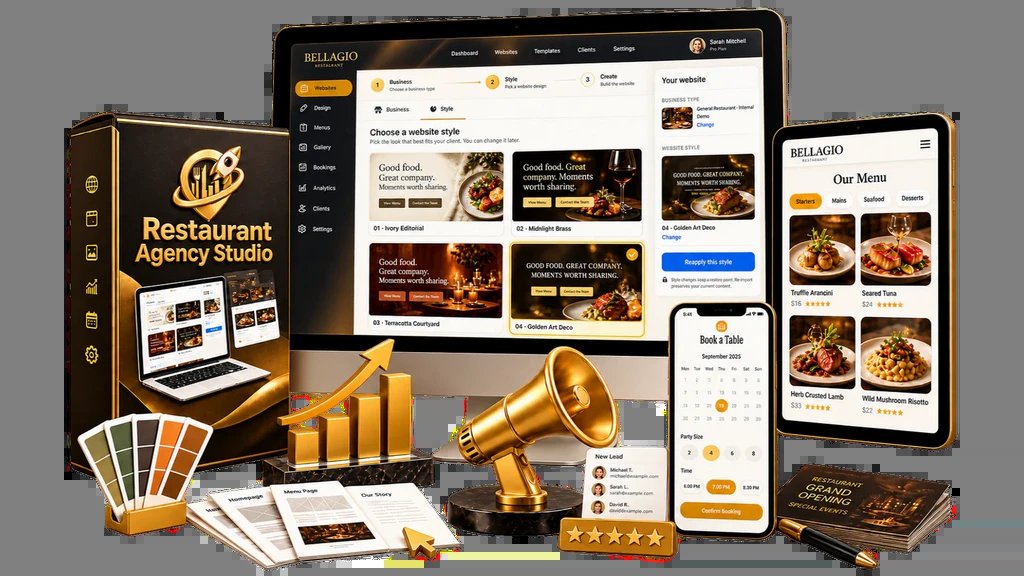
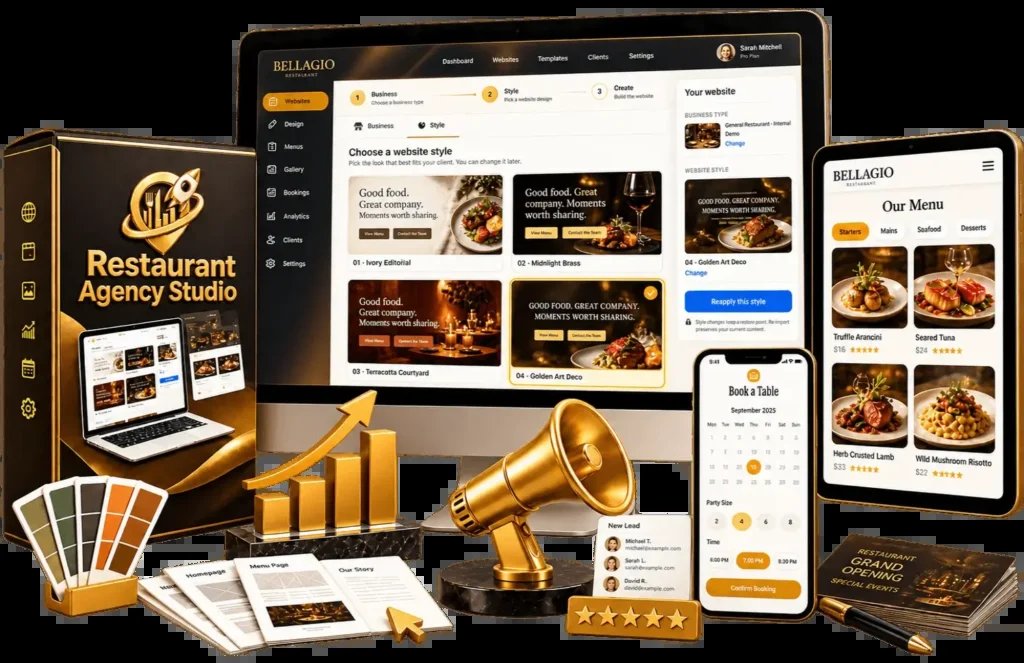
This toolset removes technical friction for agency owners approaching new restaurant clients. Instead of starting from a blank screen, you’re given a foundation that includes the essential features a restaurant owner expects to see. This includes integrated searchable menus, booking systems, and image galleries.
Because it relies on WordPress, it uses an environment many developers and owners already know. Clients receive a standard WordPress installation, which aids long-term maintenance.
The Three-Step Workflow
The platform organizes your work into a simple, repetitive process. This structure is designed to help you move from finding a prospect to delivering a finished project without getting stuck in the middle of the design phase.
- Set Up Your Agency Base: You begin by following a guided onboarding process to configure your own agency website. This creates the hub from which you’ll manage your client projects.
- Select Your Foundation: You choose from a library of design systems and niche content packs. This allows you to match the visual style of the website to the specific type of restaurant you’re targeting, whether it’s a casual cafe or a fine-dining establishment.
- Create and Deliver: You use the platform to generate a live demo using the restaurant’s name or its existing business listing. Once you have personalized the demo, you can pitch the project to the owner. After they agree, you complete the site with their specific branding and content on their own dedicated WordPress installation.
Why Specialized Niche Packs Matter for Speed
First impressions are everything when pitching to local business owners. Busy restaurant owners lack time for generic templates that ignore their specific brand identity.
The system provides 10 different niche content packs. For example, a pizza parlor needs a different layout for its menu and gallery than a high-end steakhouse. By starting with a pack that’s already aligned with the restaurant’s niche, you save time on layout adjustments and can focus on adding the details that make the business stand out.
Managing Client Expectations with Personalized Demos
One of the most difficult parts of selling web services is getting a client to visualize the final result. A static portfolio is often not enough to convince a busy restaurant owner that a new website will actually bring in more customers.
Turning a business listing into a live demo is a significant sales tool. When you can show an owner a version of their own website, the conversation changes from “What could you do for me?” to “How soon can we launch this?” This approach helps you overcome the common hurdle of indecision that often kills potential deals before they start.
Restaurant Agency Studio Review: Is It Right for You?
This toolset helps scale output by standardizing website builds. If you’re a freelancer or agency owner, this helps cut down on repetitive setup tasks.
Understand what the system does and doesn’t do. It’s a foundation to speed up the building process. It doesn’t replace the need to manage client relationships, content entry, or technical hosting aspects.
Trade-offs and Considerations
While the system is designed to save time, you should consider the time you’ll need to invest in learning the platform’s specific workflow.
Another factor is the balance between using pre-built content and creating a custom look. Because you’re using niche packs and design systems, there’s a risk that if you don’t personalize the sites enough, they might end up looking too similar to other sites in your portfolio.
Troubleshooting Common Setup Questions
If you encounter issues while using the platform, it’s usually helpful to look at the most common points of failure in the WordPress environment.
Why does the site demo look different from the preview?
This often happens if the restaurant’s business listing data is incomplete or formatted in a way that the system can’t pull correctly. Ensure that the restaurant’s name and address information are verified and up-to-date in the listing you’re using as a source.
Can I change the design system after I have started?
Most WordPress-based systems allow you to swap styles, but doing so after you have already added custom content can sometimes break your layout. It’s best to choose your style and niche pack during the initial setup phase to avoid having to redo work later.
What should I do if the booking system isn’t syncing?
Booking systems require specific settings, such as opening hours and table availability, to be correctly entered into the WordPress backend. If the booking feature isn’t working, check the settings panel for the restaurant’s hours of operation and ensure they match the information provided on their official business profile.
Related guides
- What Is Home Service Agency Studio? A Complete Platform Review
- Home Service Agency Studio Review: A Turnkey Website Toolkit
- Home Service Agency Studio Pricing Plan: How to Choose Yours
Frequently Asked Questions
Does this system require me to host the websites myself?
Yes, each client website requires its own WordPress installation, which means you’ll need to manage hosting for these sites. You should verify that your hosting provider can handle multiple WordPress installations and meets the minimum technical requirements for the software you’re using to build the sites.
Can I use these templates for businesses other than restaurants?
The niche packs and design systems are specifically created for the food service industry, including features like menu displays and booking paths. While you could technically adapt the WordPress installation for another business, the provided content and design elements are optimized specifically for restaurant needs.
Is this a drag-and-drop website builder?
The platform uses the WordPress environment, which means the level of customization depends on the theme and page-building tools included within the studio package. You should confirm if the system uses a standard block editor or a specific page builder to ensure it matches your preferred way of working.
What happens if a client wants a feature not included in the pack?
Since the sites are built on standard WordPress, you’re free to add plugins or custom code to expand the functionality of the site.
Does the system handle domain name registration?
No, the system doesn’t handle the purchase or registration of domain names. You’ll still need to manage the domain acquisition and DNS settings for each client project as part of your standard agency workflow, just as you would with any other website project.
Is there a limit to how many websites I can build?
This platform supports agencies and consultants, but you must review the licensing terms of your software package.
Why do some restaurant niche packs look better than others for specific cuisines?
Choose a niche pack that aligns with the restaurant’s brand photography to minimize modification time. A bistro-style pack works best for minimalist menus, while a family-style pack suits image-heavy sites. Ensure the design complements the quality of the photos provided by the client.
How do I handle client requests for social media integration?
You can extend the platform’s core WordPress functionality using standard plugins. Always verify that third-party additions don’t conflict with the studio’s core styles.
What is the best way to present the demo to a restaurant owner?
Use the demo as part of a live pitch rather than sending it via email. Walk the owner through the searchable menu and booking path to demonstrate how these tools solve their specific problems.
Comparing Project Requirements by Restaurant Type
When deciding which niche pack to use, consider the primary goal of the restaurant owner. The following table helps you match the restaurant’s business model to the features you should highlight during your pitch.
| Restaurant Type | Primary Feature to Showcase | Best Layout Focus |
|---|---|---|
| Fine Dining | Image Gallery | Visual storytelling and elegance |
| Casual Cafe | Searchable Menu | Speed and ease of navigation |
| Takeout/Delivery | Online Booking Path | Order flow and accessibility |
| Event Venue | Booking/Inquiry Form | Capacity and date availability |
| Family Bistro | Seasonal Specials | Warmth and family-friendly imagery |
Can I use my own branding on the agency website?
Treat your agency site as your primary portfolio piece by customizing it during the onboarding process. Avoid default settings to ensure your site reflects your unique professional standards.
Why does my client delivery process feel slow?
Establish the core site—the menu, gallery, and booking path—and get client sign-off before customizing visual details. This efficient delivery method prevents wasted effort on design tweaks.
How do I manage multiple client WordPress installations?
Develop a consistent naming convention for client files and databases from the start. Using a central dashboard to manage multiple WordPress sites significantly reduces administrative time. This approach simplifies routine updates and security checks across your entire client base.
What should I look for in a restaurant’s existing website before pitching?
Audit a restaurant’s current site for friction points like unreadable PDFs or missing booking tools before creating a demo. Highlight how your solution solves these specific problems to make your pitch more persuasive.
Is it safe to use this for high-volume restaurants?
The site’s performance depends entirely on the hosting plan you select. High-traffic restaurants require a robust environment to ensure booking and menu pages remain accessible.
How do I handle client requests for site edits after delivery?
Establish a clear maintenance agreement at delivery to define your ongoing responsibilities. You can offer recurring services for menu updates or gallery changes, or provide the client with instructions for self-management.
Is the booking path compatible with third-party reservation systems?
Check if the studio’s booking path integrates with the restaurant’s existing software or if a third-party widget is required. Confirm compatibility before finalizing your demo to ensure a seamless operation.
Do I need to be a professional coder to use these tools?
The studio is designed for non-coders to build websites within the WordPress ecosystem. While you don’t need deep programming skills, understanding the basic dashboard is essential for efficiency. Learning these fundamentals will give you the confidence to handle troubleshooting during your setup process.
How can I make my demo stand out from other agencies?
Personalize your demo by using the restaurant’s actual name, menu items, and address. This shows the owner you have done your homework and are serious about their business. Using real information is far more effective than presenting a generic template.
What is the most common reason for a failed pitch?
A failed pitch often happens when the agency owner talks too much about the features of the website and not enough about the business benefits for the restaurant. Instead of saying, “I will build you a WordPress site with a gallery,” try saying, “I will build you a site that allows your customers to see your full menu on their phones, which will help them decide what to order before they even walk through your doors.” Focus on the result—more customers, fewer phone calls, and a better reputation—rather than the technical details of the platform.
Restaurant Agency, in short
For those looking to build a professional web agency focused on the food and beverage industry, Restaurant Agency Studio offers a practical foundation for managing client builds efficiently. If you’re ready to start, follow the guided onboarding process to set up your agency base first, then select a niche pack that matches the specific type of restaurant you intend to pitch.