
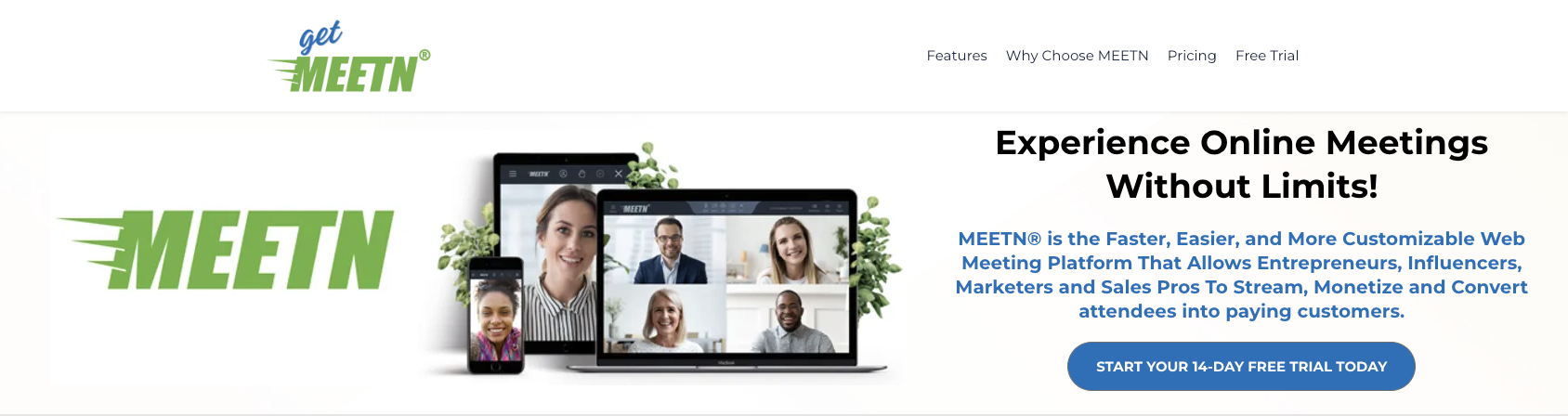
Looking for an online meeting tool that does more than just connect you with others? Meetn is designed to help you host meetings and webinars that truly engage and convert.
Imagine running your presentations without fumbling through screenshares—Meetn lets you preload slides, videos, PDFs, and interactive pop-ups, keeping your audience focused and your message clear. Whether you’re hosting an intimate 1:1 or a massive webinar with up to 1,000 attendees, Meetn makes it effortless and professional. Plus, you can livestream your event across multiple platforms simultaneously, expanding your reach like never before. If you want to elevate your online meetings and close deals with confidence, Meetn is the game-changer you’ve been waiting for. Ready to see it in action? Check out Meetn here: Meetn Online Meeting Tool. Keep reading to discover how this Zoom alternative can transform your virtual presentations and help you connect with your audience like never before.
Credit: www.getmeetn.com
Introduction To Meetn Online Meeting Tool
Meetn is a modern online meeting tool designed for smooth virtual communication. It supports everything from small 1:1 calls to large webinars with up to 1,000 attendees. Meetn aims to make hosting and joining meetings easy and effective for everyone.
This tool offers unique features that go beyond simple video calls. Users can pre-load slides, videos, and interactive pop-ups to keep the focus on the presentation. It also supports livestreaming on multiple platforms, making it a versatile choice for various online events.
Overview Of Meetn And Its Purpose
Meetn’s main goal is to simplify virtual meetings while enhancing engagement. It allows hosts to:
- Pre-load content like slides, videos, PDFs, and audio
- Add interactive elements such as call-to-action buttons and countdown timers
- Host secure meetings without requiring software downloads
- Control user permissions to keep meetings organized and safe
These features help presenters deliver clear and professional meetings without interruptions or technical issues.
How Meetn Enhances Virtual Collaboration
Meetn improves teamwork and communication by offering tools that keep participants involved. Key collaboration features include:
- Integrated pop-ups for questions and feedback during presentations
- Ability to livestream simultaneously on up to five platforms, expanding audience reach
- Live captions and real-time translation for global accessibility
- Easy Q&A with hand-raising and message display options
These functions help participants stay connected and engaged, no matter the meeting size or location.
Meetn’s Position As A Zoom Alternative
| Feature | Meetn | Zoom |
|---|---|---|
| Pre-loaded presentation content | Yes, no screensharing needed | No, relies on screensharing |
| Livestream on multiple platforms | Up to 5 platforms simultaneously | Limited to one platform |
| Attendee limit | Up to 1,000 participants | Up to 1,000 participants (varies by plan) |
| Browser access | No download required | Download usually required |
| Interactive call-to-action buttons | Built-in | Not included |
Meetn provides a user-friendly and feature-rich experience. It targets users who want more than just video calls. The pre-loaded content and multi-platform streaming make Meetn stand out as a practical Zoom alternative.
Key Features Of Meetn And Their Benefits
Meetn offers a rich set of features designed to enhance online meetings and webinars. It goes beyond simple video calls by combining presentation tools, interactive elements, and seamless streaming. These features help users stay focused, engage attendees, and drive sales effectively.
Each feature aims to simplify hosting and improve communication during virtual events. The platform supports meetings of all sizes, from one-on-one calls to webinars with up to 1,000 participants. Here are the key features and the benefits they bring.
One-click Naming For Conferences And Recordings
Meetn allows hosts to name conferences and recordings with just one click. This feature:
- Saves time by eliminating manual input.
- Keeps files organized for easy access later.
- Improves clarity by labeling recordings clearly.
Users can quickly identify and manage their meeting content without confusion. This is especially useful for teams handling multiple sessions.
Intuitive And Elegant User Interface
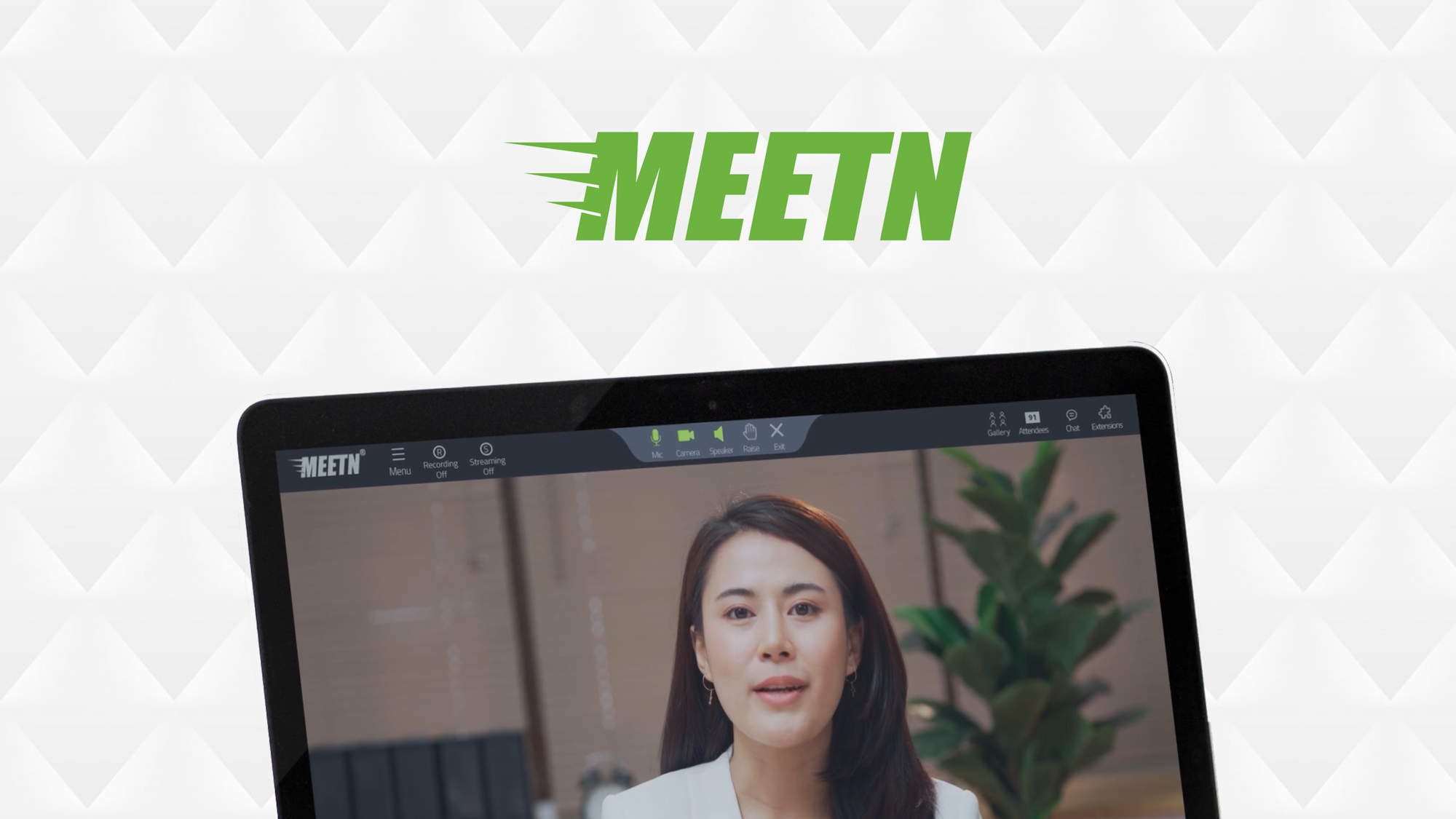
The Meetn interface is built for ease of use. It features:
- Clear labels on every icon to reduce guesswork.
- Simple navigation that works well on any device.
- No downloads needed, users join via browser instantly.
This design helps users focus on the meeting, not the technology. The clean layout supports smooth hosting and participation.
Sales-focused And Interactive Meeting Tools
Meetn enhances sales meetings with preloaded content and interactive elements. Key benefits include:
- Preload slides, videos, PDFs, and pop-ups to avoid screen sharing.
- Add countdown timers and call-to-action buttons to boost engagement.
- Direct attendees to websites or sales teams via custom toolbar buttons.
These tools keep presentations polished and professional. They help maintain audience attention and encourage immediate responses.
Seamless Streaming And Reliable Connectivity
Meetn supports livestreaming to multiple platforms simultaneously. Features include:
- Broadcast to YouTube, Twitch, Facebook, LinkedIn, and more.
- Engage with live comments directly inside the meeting room.
- Enable live captions and real-time translation in any language.
This ensures wide reach and accessibility. The platform delivers smooth, stable connections even for large audiences.
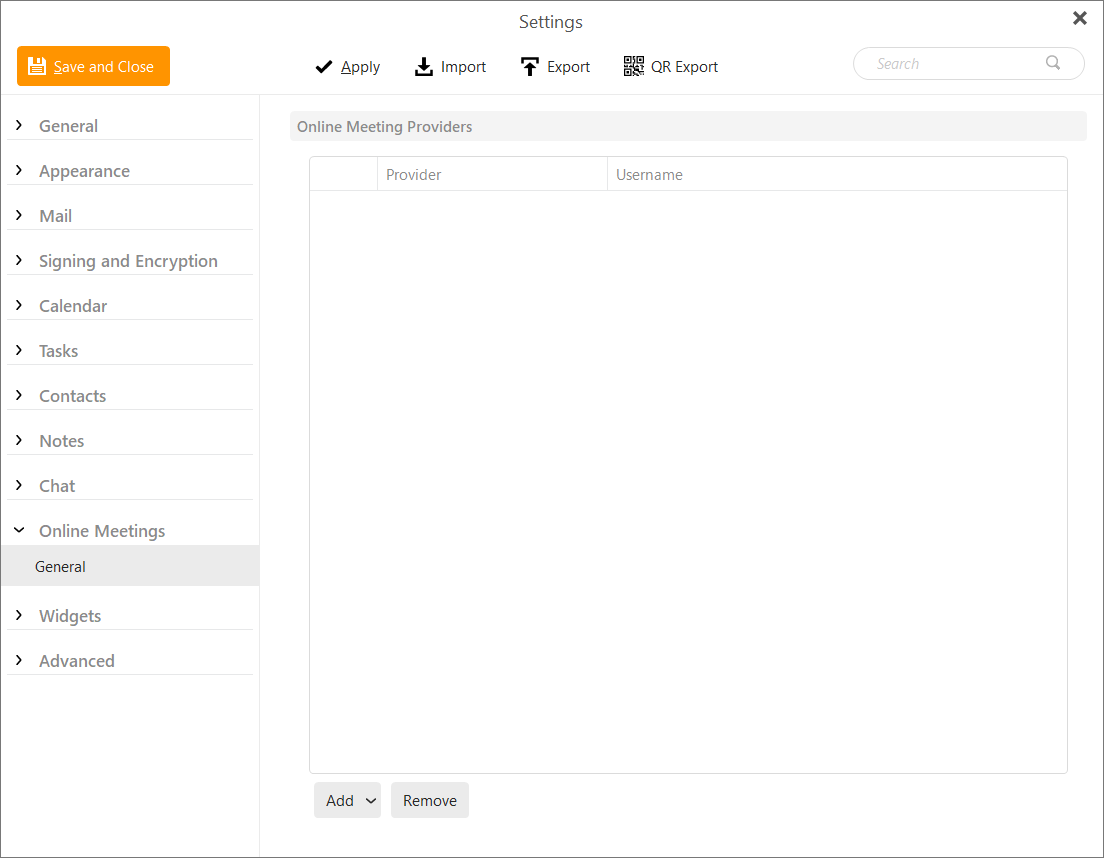
Integration With Em Client For Scheduling And Invites
Meetn integrates with eM Client for easy meeting scheduling. Benefits include:
| Feature | Benefit |
|---|---|
| Direct scheduling from eM Client | Simplifies creating and managing meeting invites |
| Automatic inclusion of Meetn links | Ensures attendees get access without hassle |
| Syncs with calendar | Keeps your schedule organized and up to date |
This integration saves time and reduces errors in planning meetings.
Pricing And Affordability Breakdown
Meetn offers clear pricing options designed to fit various needs. Whether hosting small meetings or large webinars, pricing stays simple and fair. This section explains each plan, compares costs with other tools, and details what free accounts provide.
Meetn’s Pricing Plans Overview
Meetn provides multiple pricing plans to suit different users. Plans vary by attendee limits and advanced features. All plans allow hosting without software downloads and support pre-loaded content for smooth presentations.
| Plan | Max Attendees | Key Features | Price |
|---|---|---|---|
| Free | Up to 10 | Basic meetings, limited pre-loads | $0 |
| Pro | Up to 100 | Full pre-loading, call-to-action pop-ups | $15/month |
| Business | Up to 1,000 | Livestream to 5 platforms, advanced controls | $50/month |
Value For Money Compared To Competitors
Meetn stands out by combining video calls with sales tools. Platforms like Zoom focus on chatting but lack built-in sales features. Meetn includes:
- Pre-loaded slides and videos
- Call-to-action popups during meetings
- Livestreaming to multiple platforms simultaneously
Pricing stays competitive, especially for larger webinars. The Business plan supports 1,000 attendees and five livestream channels, often at a lower cost than similar services.
Free Account Features And Limitations
The free Meetn account suits small teams and casual users. It allows meetings with up to 10 participants. Features include:
- Basic video conferencing
- Limited pre-loaded content
- Browser-based joining with no downloads
Limitations include no livestreaming and fewer interactive tools. Upgrading unlocks call-to-action popups and large webinar support.
Credit: www.emclient.com
Pros And Cons Based On Real-world Usage
Meetn offers a fresh approach to online meetings and webinars. It goes beyond simple video calls by adding tools to boost engagement and sales. Users appreciate its unique features, but there are some areas needing improvement. This section breaks down the advantages, limitations, and real user experiences.
Advantages Of Meetn For Business And Webinars
- Pre-loaded Content: Upload slides, videos, PDFs, and pop-ups before the meeting. No need to share screens during live sessions. This keeps the presentation smooth and professional.
- Large Audience Capacity: Host up to 1,000 attendees, ideal for big webinars and conferences.
- Multi-platform Livestreaming: Broadcast simultaneously on YouTube, Twitch, Facebook, LinkedIn, and Amazon Live. Reach wider audiences easily.
- Engagement Tools: Add countdown timers, call-to-action buttons, and interactive pop-ups to keep participants focused and involved.
- Browser-based Access: Join meetings directly from the browser without software downloads, reducing entry barriers for attendees.
- Security and Control: Limit user permissions to prevent disruptions. Labels on icons reduce confusion for hosts and participants.
- Accessibility Features: Live captions and real-time translation support multilingual audiences and improve understanding.
Common Limitations And Areas For Improvement
- Learning Curve: New users may need time to master pre-loading content and using engagement tools effectively.
- Interface Complexity: Some find the control panel cluttered when managing large webinars with many features.
- Limited Free Tier: High attendee limits and advanced features are only available on paid plans, which might be costly for small businesses.
- Interactive Features: More options for participant interaction, like polls or breakout rooms, could enhance engagement further.
- Mobile Experience: Browser-based access is convenient, but mobile usability can be inconsistent across devices.
User Feedback And Experience Highlights
| User Aspect | Positive Feedback | Negative Feedback |
|---|---|---|
| Ease of Use | Simple to join meetings without downloads. Clear icon labels help navigation. | Hosts report initial setup takes time to understand all features. |
| Presentation Quality | Pre-loaded content keeps presentations smooth and focused. | Switching between content types can be tricky during live sessions. |
| Engagement | Call-to-action pop-ups and buttons drive participant interaction. | Some users want more interactive tools like polls or quizzes. |
| Livestreaming | Ability to stream on multiple platforms expands audience reach. | Occasional delays or sync issues noted during multi-platform streams. |
| Support and Updates | Responsive customer support and regular feature updates. | Feature requests take time to be implemented. |
Ideal Users And Best Use Scenarios For Meetn
Meetn fits various users who need more than basic video calls. It suits those who want interactive presentations and large-scale engagement. This tool helps sales teams, webinar hosts, and collaborative teams deliver polished meetings with ease. The features focus on content pre-loading, livestreaming, and audience interaction.
Businesses Focused On Sales And Recruitment
Sales and recruitment teams benefit from Meetn’s pre-loaded content feature. It removes the need for screensharing and keeps meetings smooth and professional.
- Load slides, videos, PDFs, and call-to-action popups in advance.
- Use countdown timers and buttons to boost engagement.
- Direct attendees to websites or sales contacts with toolbar buttons.
- Host secure meetings with controlled user permissions.
This setup keeps potential clients and candidates focused on the message, improving conversion chances.
Webinar Hosts Seeking Simplified Management
Meetn supports webinars with up to 1,000 attendees. It offers tools to manage large audiences easily.
- Livestream simultaneously to YouTube, Twitch, LinkedIn, Facebook, and more.
- Engage with live comments from multiple platforms inside the meeting.
- Hide the full gallery to focus attention on co-hosts.
- Enable hand-raising and pop-up messages for smooth Q&A sessions.
- Set live captions and translations for a global audience.
Webinar hosts gain control and interactivity without technical headaches.
Teams Needing Reliable And Interactive Meetings
Teams that require collaboration and clear communication find Meetn useful. It allows participants to join via browser, no downloads needed.
| Feature | Benefit |
|---|---|
| Pre-loaded content | Focus on discussion, not screensharing |
| Customizable permissions | Limit access to only needed features |
| Labels on icons | Reduce confusion during meetings |
| Livestream to multiple platforms | Reach wider audiences easily |
Meetn helps teams stay productive, interactive, and secure in every session.
Credit: appsumo.com
Frequently Asked Questions
What Is Meetn Online Meeting Tool?
Meetn is an easy-to-use online conferencing service designed for virtual meetings and webinars. It offers fast setup, seamless interaction, and smart features like one-click naming of conferences to avoid losing recordings.
How Does Meetn Improve Webinar Experiences?
Meetn enhances webinars with intuitive controls, interactive tools, and reliable streaming. It helps hosts engage audiences effectively and manage sessions smoothly, making meetings more productive and professional.
Is Meetn A Good Zoom Alternative?
Yes, Meetn is a strong Zoom alternative focusing on sales and recruitment. It provides essential features with a simpler interface, making it ideal for business growth and online collaboration.
Can I Record Meetings With Meetn?
Absolutely, Meetn allows you to record meetings and webinars easily. It intelligently names recordings for quick access and prevents losing important session data.
Conclusion
Meetn simplifies online meetings and webinars with ease. You can preload slides, videos, and interactive pop-ups to keep your audience engaged. Hosting up to 1,000 attendees is smooth and secure. Stream your events to multiple platforms at the same time. No software download is needed—just join right from your browser. Meetn helps you focus on your message, not tech issues. Ready to improve your online meetings? Check out Meetn here: https://appsumo.8odi.net/GbX3KL and start hosting better meetings today.




