
Are you tired of spending hours brainstorming content ideas, juggling multiple platforms, and struggling to keep your posts consistent? What if you could plan, draft, and publish an entire month’s worth of content in just a few clicks?
That’s exactly what Vocable AI offers you. This powerful tool acts like your personal content strategist and copywriter rolled into one, helping you create a 30-day multichannel content plan tailored perfectly to your brand. In this guide, you’ll discover how to use Vocable AI step-by-step to generate engaging posts, streamline your workflow, and keep your audience hooked—all without breaking a sweat.
Ready to transform your content game? Let’s dive in.
Credit: appsumo.com
Introduction To Vocable Ai Tool
Vocable AI simplifies content creation by generating a full month of multichannel posts quickly. It helps users plan, draft, and publish content across various platforms with ease. This tool suits marketers, agencies, and content creators aiming for consistent and well-structured posting.
The tool uses advanced AI to understand brand voice and target audience. It then creates tailored content plans and drafts, saving time and effort.
What Is Vocable Ai And Its Purpose
Vocable AI is an AI-powered content planner designed to create 30 days of content for multiple channels. It analyzes a brand’s website or inputs to build a detailed brand profile. This profile includes:
- Value proposition
- Messaging style
- Target audience
Its main purpose is to help users maintain a steady flow of content without stress. Vocable AI offers:
- Brand profile generation
- Content calendar creation
- Editing tools with AI assistance
- Direct publishing integration
How Vocable Ai Transforms Content Creation
This tool changes content creation by automating key steps. Here is how it works:
- Brand Analysis: Input a website URL or brand details. AI extracts core brand elements.
- Content Planning: Create a 30-day plan with campaign overview and key messages. Choose posting channels.
- Content Drafting: Generate posts using AI trained on storytelling frameworks and hooks.
- Editing: Use the built-in editor and AI assistant to polish drafts.
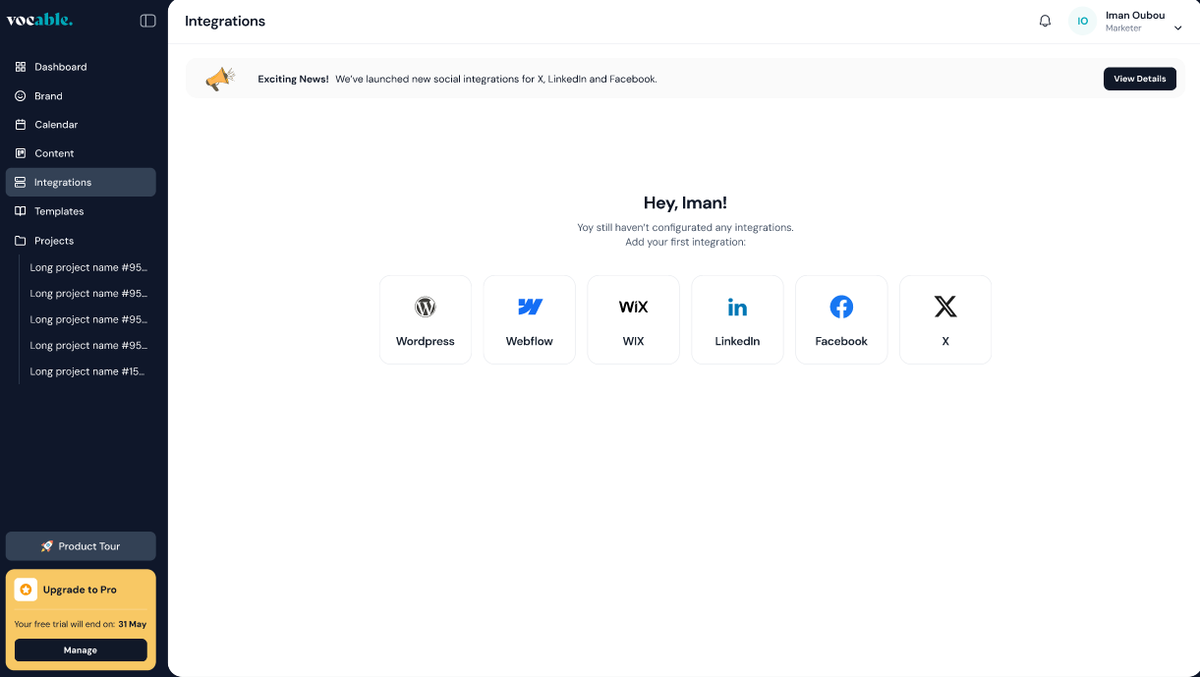
- Publishing: Post directly to platforms like WordPress, Webflow, Wix, LinkedIn, and X.
The tool offers multiple views for managing content: list, kanban, and calendar. This keeps workflows organized and efficient.
| Feature | Benefit |
|---|---|
| Brand Profile Generation | Captures brand voice and audience to tailor content |
| 30-Day Content Planning | Ensures consistent posts across channels |
| AI Writing Assistant | Improves content quality and relevance |
| Direct Publishing | Saves time by posting without extra steps |

Credit: blog.vocable.ai
Key Features Of Vocable Ai And Their Benefits
Vocable AI offers a suite of powerful tools designed to simplify content creation across multiple channels. Its features help marketers and content creators plan, draft, and publish content effortlessly. Each feature supports a smoother workflow, saving time and ensuring consistency.
Channel-specific Content Ideation: Streamlining Your Strategy
Vocable AI analyzes your brand and campaign details to generate tailored content ideas for each channel. It considers the unique style and audience of platforms like blogs, LinkedIn, and X.
- Generates ideas based on brand profile and target audience
- Suggests content formats optimized for each channel
- Helps maintain a clear and focused strategy
This approach reduces guesswork and keeps your messaging aligned with each platform’s strengths.
Automated Content Planning: Save Time And Effort
Plan a full 30-day content calendar with just a few inputs. Vocable AI organizes posts across channels with flexible views:
| Planning Views | Purpose |
|---|---|
| List | Quick overview of all posts |
| Kanban | Track content stages and workflow |
| Calendar | Visualize publishing schedule |
This system cuts down manual scheduling and helps you post consistently without stress.
Drafting And Optimizing Content With Ai Assistance
Use Vocable AI’s built-in editor to write and polish content. The AI suggests improvements based on proven storytelling frameworks.
- Edit briefs to adjust tone and style
- Receive AI-generated hooks and structures
- Manually fine-tune content alongside AI
This feature ensures your drafts are clear, engaging, and suited to your audience.
Content Library And Template Utilization For Consistency
Vocable AI stores your brand profiles and content templates in one place. Reuse these elements to keep messaging uniform.
- Save and edit brand profiles as your business evolves
- Apply templates for different content types
- Maintain consistent voice and style across posts
Templates and libraries reduce repetitive work and improve brand recognition.
Campaign Management: Organize And Track Content Flow
Manage your entire campaign from overview to execution with Vocable AI’s tools:
- Set campaign goals and key messages
- Assign content to specific channels
- Track progress with workflow views (list, kanban, calendar)
This structure keeps teams aligned and workflows transparent, avoiding missed deadlines.
Step-by-step Guide: How To Use Vocable Ai Effectively
Vocable AI helps create 30 days of multichannel content quickly. This guide walks through each step to use Vocable AI with ease. Follow these steps for smooth content planning, drafting, and publishing.
Setting Up Your Account And Navigating The Dashboard
Start by visiting Vocable AI and creating your account. Use a valid email and set a secure password.
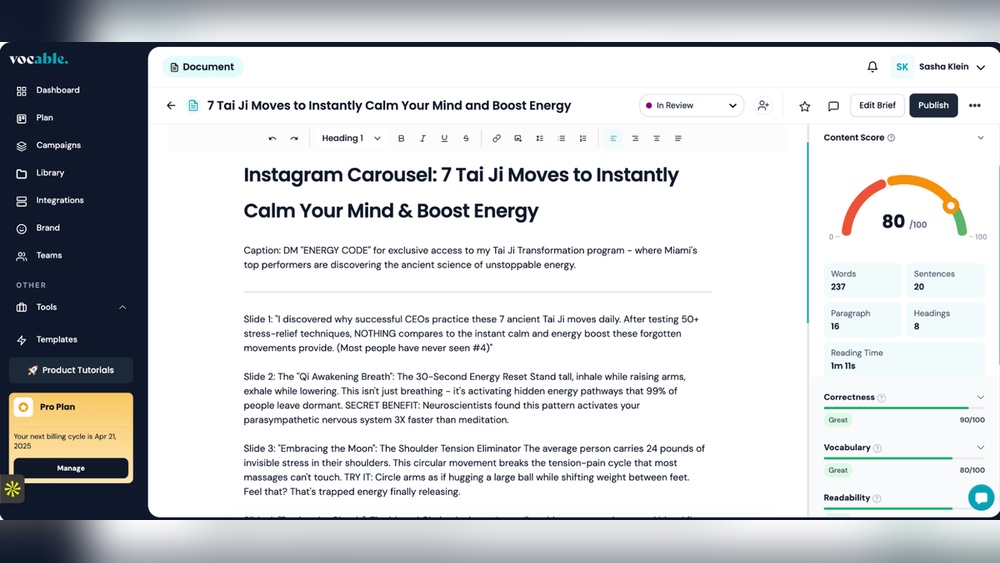
After logging in, explore the dashboard. It shows your projects, content plans, and brand profiles. The dashboard is user-friendly, with options for list, kanban, and calendar views to organize your work.
Defining Your Content Goals And Selecting Channels
Define what you want to achieve with your content. Choose clear goals such as increasing brand awareness or boosting engagement.
Next, select the channels for posting. Vocable AI supports popular platforms like LinkedIn, X (Twitter), WordPress, Webflow, and Wix.
- Enter campaign overview and key messages
- Pick social media or blog platforms
- Set target audience and messaging style
Generating Content Ideas And Creating A Strategic Plan
Use Vocable AI to generate a brand profile by entering your website URL. The AI analyzes your brand’s value proposition and tone.
Based on this, the tool suggests content ideas tailored to your audience and goals.
- Review AI-generated ideas
- Select relevant topics
- Map out a 30-day content calendar
This plan ensures consistent posting without stress.
Drafting Content Using Ai-powered Tools
Start drafting your posts or articles with the AI writing assistant. It uses proven storytelling frameworks and hooks suited for each channel.
You can:
- Edit content briefs for broad changes
- Make manual edits in the built-in text editor
- Adjust tone and style to match your brand voice
This AI support saves time and improves content quality.
Reviewing, Optimizing, And Organizing Content
After drafting, review your content carefully. Use Vocable AI’s editing tools to optimize clarity and engagement.
Organize your content pipeline using:
| View Type | Purpose |
|---|---|
| List View | See all posts in a simple list |
| Kanban View | Drag and drop posts across stages |
| Calendar View | Visualize posting schedule by date |
This helps track progress and deadlines easily.
Scheduling And Executing Content Campaigns
Use direct integrations to publish content without extra steps. Post directly to blogs or social channels like LinkedIn and X.
Steps to schedule and publish:
- Set publishing date and time for each post
- Connect your social or blog accounts
- Confirm and activate the campaign
Vocable AI handles posting, so you focus on strategy.

Credit: www.youtube.com
Pricing And Affordability Breakdown
Understanding the pricing structure of Vocable AI helps you choose the best plan for your needs. The tool offers flexible options tailored to different users. This section explains the costs, benefits, and which plan fits various budgets.
Overview Of Vocable Ai Pricing Plans
| Plan | Price | Key Features |
|---|---|---|
| Basic | $29/month | Generate 30 days of multichannel content, Brand profile creation, Basic editing tools |
| Pro | $59/month | All Basic features, Advanced editing, Multi-channel posting, Integration with WordPress, Webflow, Wix |
| Business | $99/month | Pro features, Team collaboration, Content calendar, Priority support |
Each plan offers access to AI-driven content creation and editing. The higher tiers include more integrations and collaboration tools.
Value Proposition: Cost Vs. Time Saved
Vocable AI saves hours by automating content planning and creation. You avoid manual brainstorming and drafting for 30 days of posts.
The time saved can be used for other important tasks, increasing productivity. This benefit often outweighs the monthly fee.
- Quick brand profile generation
- Consistent multichannel content scheduling
- Built-in AI writing assistant for edits
- Direct publishing to popular platforms
These features reduce the need for multiple tools, lowering overall content production costs.
Which Plan Suits Different User Needs And Budgets
Basic Plan fits freelancers and small businesses. It covers essential content planning and creation.
Pro Plan works well for marketers needing advanced editing and direct platform posting. Good for solo professionals.
Business Plan suits teams requiring collaboration, calendar management, and priority help. Ideal for agencies and larger companies.
- Freelancers: Basic for cost-effectiveness.
- Solo marketers: Pro for extra features and integrations.
- Teams/agencies: Business for full collaboration tools.
Pros And Cons Based On Real-world Usage
Vocable AI offers a smart way to plan and create multichannel content quickly. Users find its features helpful for managing content over 30 days. The tool can boost productivity and creativity but also comes with some challenges. Below is a detailed look at its advantages and limitations based on real-world experiences.
Advantages: Efficiency, Creativity Boost, And Ease Of Use
- Efficiency: Vocable AI helps users generate a 30-day content plan fast. It reduces the time spent on brainstorming and organizing posts.
- Creativity Boost: The AI suggests story frameworks and hooks, sparking fresh ideas. This makes content more engaging and varied across platforms.
- Ease of Use: Simple interface with options like list, kanban, and calendar views. Users can easily switch between views to organize their content pipeline.
- Brand Profiling: Automatically analyzes a website to capture brand voice, target audience, and messaging style. This keeps content aligned with brand identity.
- Direct Publishing: Integrates with WordPress, Webflow, Wix, LinkedIn, and X for smooth publishing without extra steps.
Limitations: Learning Curve And Possible Ai Content Constraints
- Learning Curve: New users may need time to master features like brand profile editing and campaign setup.
- AI Content Constraints: AI-generated content sometimes lacks deep nuance or unique human touch. Manual edits are often necessary to perfect posts.
- Customization Limits: While brand profiles can be edited, some users find the AI’s initial analysis too generic.
- Channel-Specific Optimization: The AI may not always fully capture the best style for every social platform.
User Feedback And Common Experiences
| Aspect | Positive Feedback | Challenges Reported |
|---|---|---|
| Content Planning | Easy to map out posts for a full month. Saves time on scheduling. | Some users want more flexible options for last-minute changes. |
| Brand Analysis | Good starting point for brand voice and audience targeting. | Needs more accuracy for complex or niche brands. |
| User Interface | Clean design and intuitive navigation. | Initial setup can feel overwhelming for beginners. |
| Content Quality | AI helps generate solid drafts quickly. | Requires manual tweaks to improve tone and originality. |
Users often combine Vocable AI’s automation with personal edits. This mix results in better, tailored content. The tool fits well for marketers wanting quick content plans and draft ideas.
Ideal Users And Scenarios For Vocable Ai
Vocable AI suits various professionals who need fast, organized, and multichannel content. It helps users plan, draft, and publish 30 days of content with ease. The tool supports different roles by simplifying content creation and distribution.
Content Marketers Looking To Automate Strategy
Content marketers can use Vocable AI to build a clear, automated content plan. The tool generates a 30-day multichannel content calendar that aligns with brand goals. Marketers can:
- Analyze brand profiles by entering website URLs
- Create targeted content with AI-driven messaging and hooks
- Organize campaigns using list, kanban, or calendar views
- Ensure consistent posting without manual scheduling
This automation saves time and keeps strategies focused on audience engagement.
Small Businesses And Startups Needing Quick Content Solutions
Small businesses and startups gain from Vocable AI’s speed and simplicity. The tool helps build a strong brand voice fast by:
- Generating brand profiles automatically
- Mapping out content that fits multiple channels
- Editing content directly with an AI writing assistant
- Publishing posts via direct integrations like WordPress and social media
Quick content creation supports growth without extra staffing or delays.
Social Media Managers Handling Multiple Channels
Social media managers benefit from Vocable AI’s multichannel approach. It streamlines content posting across platforms such as LinkedIn and X. Managers can:
- Plan content for 30 days in advance
- Use built-in tools to edit and optimize posts
- Publish directly from the platform to various social channels
- Track and adjust campaigns with flexible content views
This centralizes work and reduces the stress of juggling many accounts.
Freelancers And Agencies Seeking Scalable Content Creation
Freelancers and agencies use Vocable AI to scale content production efficiently. The tool helps by:
- Creating detailed brand profiles for each client
- Drafting and organizing multichannel content quickly
- Allowing manual edits alongside AI suggestions for quality
- Publishing directly to client platforms with integration support
This flexibility supports managing multiple clients without burnout.
Tips And Best Practices For Mastering Vocable Ai Quickly
Using Vocable AI effectively can save time and improve content quality. Follow simple tips to get comfortable fast. These best practices help you work smart and produce better results in less time. Focus on how to use built-in features and organize your workflow to stay consistent.
Leveraging Templates And Tools For Faster Results
Start with Vocable AI templates to speed up content creation. Templates guide your writing and keep your messages clear. Use templates for:
- Brand profiles
- Content plans
- Social media posts
These templates fit different channels and styles. Customize them to match your brand voice. Let the AI help create drafts based on proven storytelling frameworks. This cuts down brainstorming time.
Integrating Vocable Ai With Your Existing Workflow
Connect Vocable AI with tools you already use. It supports direct publishing to platforms like WordPress, Webflow, Wix, LinkedIn, and X. This integration means you can:
- Publish content without leaving the app
- Manage posts across multiple channels
- Keep your calendar and content pipeline organized
Use Kanban, list, or calendar views inside Vocable AI to track tasks. This helps keep deadlines clear and workflows smooth. Syncing tools saves time and avoids juggling multiple apps.
Regularly Reviewing And Refining Ai-generated Content
Always review content AI creates. The AI gives a strong first draft but needs your touch. Check for:
- Brand voice consistency
- Accuracy of facts
- Clear, simple language
Edit posts with the built-in text editor and AI writing assistant. Adjust tone or style to suit your audience. This step ensures content fits your goals and feels natural to readers.
Staying Updated With New Features And Updates
Vocable AI often adds new tools and improvements. Keep an eye on updates to use the latest features. New options can make content planning easier or add fresh ways to post. Regularly checking updates helps you stay efficient and competitive.
Subscribe to Vocable AI newsletters or follow their blog for news. Staying informed means you use the tool at its best every day.
Conclusion: Maximizing Content Success With Vocable Ai
Vocable AI simplifies content creation by offering a complete plan for 30 days. It helps generate, edit, and publish multichannel content efficiently. Using this tool can save time and improve consistency. The AI analyzes brand details to create tailored content that fits your audience and style.
Summary Of Key Benefits And Features
- 30-day content plan: Organizes posts for multiple channels.
- Brand profile generation: Understands your brand’s voice and audience.
- Content editing tools: AI-assisted writing and manual editing combined.
- Direct publishing: Integrates with WordPress, Webflow, Wix, LinkedIn, and X.
- Flexible views: List, Kanban, and calendar formats to manage workflow.
Encouragement To Experiment And Customize Usage
Try different campaign prompts to see what fits best. Adjust brand profiles as your business grows. Use the editing tools to tailor content for each channel. Explore all views to find your preferred workflow. Test direct publishing to streamline your posting process. Customizing these features helps match content to your unique needs.
Final Thoughts On Vocable Ai’s Impact On Content Marketing
Vocable AI supports consistent content delivery without added stress. It helps marketers focus on strategy instead of daily content creation. The tool’s brand analysis ensures messaging stays clear and relevant. Multichannel posting increases reach and engagement. Vocable AI can be a strong asset for efficient content marketing.
Frequently Asked Questions
What Does Vocable Ai Do?
Vocable AI helps you quickly generate, plan, and organize content ideas for multiple channels. It acts as a content strategist and copywriter, streamlining your content marketing process and saving time.
How To Use Ai Tools Correctly?
Use AI tools by setting clear goals, verifying outputs, protecting privacy, avoiding overreliance, and staying updated on best practices.
How To Do Ai Step By Step?
Define your AI goal clearly. Gather and clean relevant data. Create and train an algorithm. Test and deploy your AI. Continuously monitor and improve its performance.
What Is The 10 20 70 Rule For Ai?
The 10-20-70 rule for AI allocates 10% effort to strategy, 20% to training data, and 70% to model development and deployment.
Conclusion
Using Vocable AI simplifies content planning and creation. It helps you organize 30 days of posts across multiple channels easily. The tool analyzes your brand to keep your messaging clear and consistent. You can edit content until it fits your style perfectly.
Publishing directly from Vocable saves time and effort. This tool suits anyone wanting steady, well-planned content. Try it to keep your marketing on track without stress.




