Are you looking for a simple way to connect with your customers instantly? ManyChat might be just what you need.
It’s a powerful tool that helps you send messages, answer questions, and even sell products—all through chat apps like Facebook Messenger. Imagine having a smart assistant that works 24/7, never misses a message, and helps grow your business while you focus on other things.
Curious how it works and how it can make your life easier? Keep reading, and you’ll discover everything you need to know about ManyChat.
Manychat Basics
Manychat Basics help users understand this tool’s main functions. Manychat is a chatbot platform. It helps businesses talk to customers automatically. It can send messages, answer questions, and guide users. Manychat saves time and improves customer service.
Core Features
Manychat offers tools for creating chatbots without coding. You can build flows that send messages based on user actions. It supports automated replies and broadcasts to many users. You can collect user data through interactive forms. It also allows integration with other apps like email and CRM.
Supported Platforms
Manychat works with popular messaging platforms. Facebook Messenger is the main one. It also supports Instagram messaging and SMS texting. Businesses can reach customers on multiple channels easily. This helps keep conversations in one place.
User Interface Overview
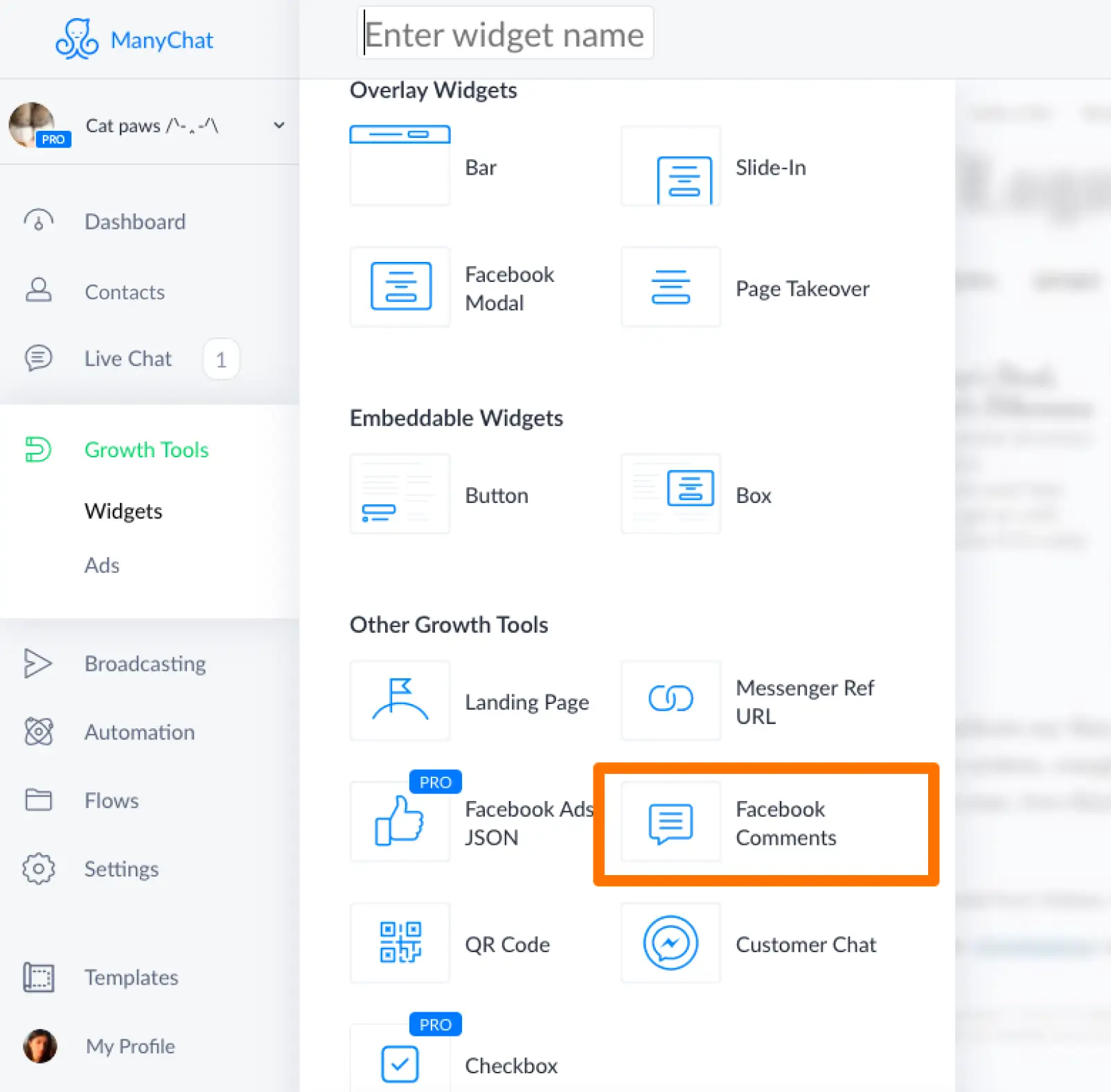
The user interface is simple and clean. It has a visual flow builder for chatbot design. Drag and drop features make it easy to create messages. The dashboard shows user activity and chat performance. Settings allow customization of messages and automation rules.
Credit: botpenguin.com
Setting Up Manychat
Setting up Manychat is the first step to creating automated conversations. It is simple and fast. Follow a few easy steps to get started. This will help you manage your messages better and connect with your audience.
Account Creation
Start by visiting Manychat’s website. Click on the sign-up button. Enter your email and create a password. You can also sign up using Facebook or Google. This makes logging in easier later. Verify your email to activate the account. Your Manychat dashboard will then be ready.
Connecting Social Media
Next, link your social media account to Manychat. Most users connect their Facebook page. Click on the “Connect” button and choose your page. Allow Manychat to access your page data. This helps the bot send and receive messages. You can also connect Instagram or other platforms.
Initial Configuration
After connecting your account, set up the basic settings. Add your business name and contact details. Choose your time zone and language. Customize the welcome message your visitors will see. Set up default replies for common questions. This makes your bot ready to chat instantly.
Building Chatbots
Building chatbots with ManyChat is simple and effective. It lets you create automated conversations that guide users smoothly. The process involves designing flows, using ready-made templates, and tailoring responses to fit your needs. Each step helps you build chatbots that connect well with your audience.
Creating Flows
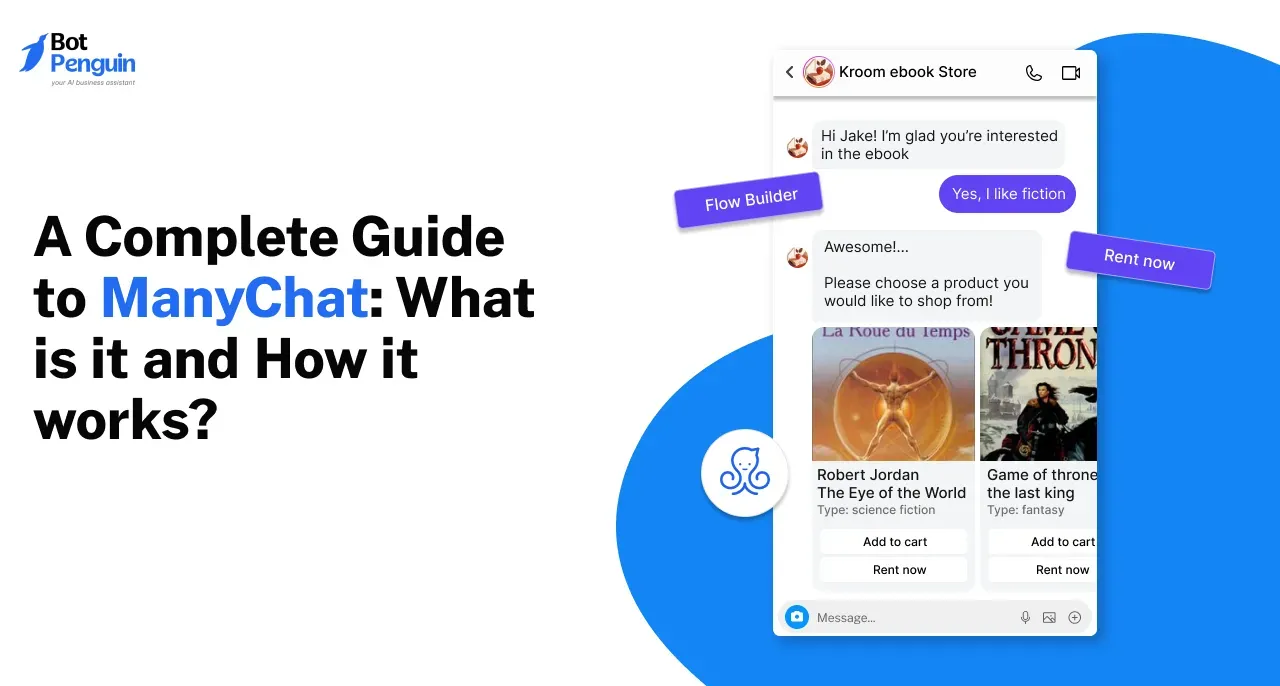
Flows are the backbone of ManyChat chatbots. They control how the conversation moves from one message to the next. You can add text, images, buttons, and quick replies to each step. This way, users get clear options and a smooth experience. Creating flows is like drawing a map for the chatbot to follow.
Using Templates
ManyChat offers many templates for different purposes. These templates save time and give you a solid start. You can pick a template for sales, customer support, or lead generation. Each template comes with pre-built flows and messages. It’s easy to modify them to match your brand and goals.
Customizing Responses
Custom responses make your chatbot feel personal and helpful. You can set replies based on user questions or actions. ManyChat allows you to use variables like names to make messages friendly. Customization also helps handle different scenarios smoothly. This keeps users engaged and satisfied.
Credit: botpenguin.com
Automation Tools
ManyChat offers a set of automation tools that help businesses manage conversations easily. These tools save time and keep customers engaged without constant manual work. Automation lets you create flows that respond automatically based on user behavior.
The tools focus on three main areas: triggers and actions, audience segmentation, and broadcasting messages. Each plays a key role in building effective chat experiences.
Triggers And Actions
Triggers start an automated response when a user does something. For example, clicking a button or sending a message can trigger a flow. Actions are the steps ManyChat takes after a trigger. These include sending texts, images, or asking questions. This system guides users through conversations smoothly and quickly.
Audience Segmentation
Audience segmentation divides users into groups based on their interests or behavior. ManyChat tags users automatically based on their answers or clicks. This helps send targeted messages that match user needs. Segmentation improves engagement and makes conversations feel personal.
Broadcasting Messages
Broadcasting allows sending messages to many users at once. You can send updates, offers, or news easily. ManyChat lets you schedule broadcasts to reach users at the best time. This tool keeps your audience informed and active without extra effort.
Integrations And Extensions
ManyChat offers various ways to connect with other tools and platforms. These integrations and extensions help businesses automate tasks and improve customer communication. They allow ManyChat to work smoothly with apps you already use.
Third-party Apps
ManyChat links with popular third-party apps. These include email services, CRM systems, and marketing tools. This connection helps send messages and collect data automatically. It saves time and reduces manual work. Users can sync contacts and track campaign results easily.
E-commerce Integration
ManyChat supports e-commerce platforms like Shopify and WooCommerce. This lets stores send order updates and promotions through chat. Customers get quick responses about products and shipping. The integration also helps recover abandoned carts. It improves sales by engaging buyers directly.
Api Usage
ManyChat provides an API for custom connections. Developers can build unique features or link to other software. This offers flexibility for specific business needs. The API allows sending messages and managing subscribers programmatically. It opens many possibilities for automation and growth.
Analytics And Optimization
ManyChat offers tools to measure and improve chatbot performance. Analytics and optimization help businesses understand how users interact with chatbots. This insight guides changes that make conversations better and more effective. Tracking key data points allows for smart decisions that boost user satisfaction and results.
Tracking Performance
ManyChat tracks important metrics like open rates and click rates. It shows how many users start and finish chatbot flows. You can see which messages get the most attention. This data helps find what works and what does not. Tracking performance keeps your chatbot aligned with user needs.
A/b Testing
A/B testing lets you compare two versions of a message or flow. ManyChat splits your audience and sends different versions to each group. It then shows which version has better results. This testing helps find the best way to communicate. Small changes can lead to big improvements.
Improving Engagement
Using analytics, you can spot where users lose interest. ManyChat helps adjust messages to keep users involved. Personalized content and timely replies increase engagement. The platform also suggests ways to reduce drop-offs. Higher engagement means better user experience and more success.
Use Cases And Examples
ManyChat is a tool that helps businesses talk to their customers automatically. It uses chatbots to send messages on platforms like Facebook Messenger. These chatbots can do many tasks. Below are some common ways ManyChat helps businesses grow and save time.
Customer Support
ManyChat can answer common questions fast. It helps customers find information like store hours or return policies. It works all day, even at night. This means customers get help anytime. Businesses save time by not answering the same questions again and again.
Lead Generation
ManyChat collects customer information easily. It asks simple questions and saves answers. This helps businesses find people interested in their products. For example, a chatbot can ask about preferences and add people to a list for future offers. This way, businesses get more potential customers without extra effort.
Sales Automation
ManyChat can guide customers to buy products. It shows items, answers questions, and helps complete orders. The chatbot can offer discounts or suggest related products. This makes shopping easy and fast. Sales happen without a salesperson being online all the time.
Pricing Plans
Manychat offers different pricing plans to fit various needs and budgets. The plans range from a free option to paid subscriptions with extra features. Understanding the differences helps you choose the right plan for your business or personal use.
Free Vs Paid Features
The free plan allows basic chatbot creation and messaging. It includes simple tools and a limited number of subscribers. Paid plans offer advanced features like automation, analytics, and more customization. These features help grow and manage your audience better.
Subscription Options
Manychat has monthly subscription plans based on the number of contacts. Prices increase as your subscriber list grows. You can upgrade or downgrade anytime. This flexibility suits small businesses and larger companies alike.
Value Comparison
Free plans work well for beginners or testing purposes. Paid plans provide better tools for marketing and sales. The cost matches the value of extra features and support. Choose the plan that fits your current needs and budget.
Tips For Success
Using ManyChat effectively can improve your communication and grow your audience. Success depends on following smart tips and avoiding common errors. Staying updated with new features helps keep your chatbot fresh and useful.
Best Practices
Start by setting clear goals for your chatbot. Keep messages short and easy to read. Use buttons and quick replies to guide users smoothly. Personalize messages by using user names and details. Test your chatbot regularly to fix issues fast. Respond promptly to user inputs to keep conversations alive. Monitor your chatbot’s performance with analytics tools.
Common Mistakes To Avoid
Do not overwhelm users with too many messages. Avoid sending the same message repeatedly. Don’t ignore user feedback or questions. Avoid complicated language or long sentences. Do not skip testing your chatbot before launch. Avoid neglecting mobile users, as most chat happens on phones. Do not forget to comply with privacy rules.
Staying Updated
ManyChat regularly adds new features and tools. Follow official ManyChat blogs and newsletters. Join user forums and social media groups for tips. Watch video tutorials for new updates and tricks. Regularly review your chatbot to add new functions. Keep learning about chatbot trends and best tools. Update your chatbot to improve user experience.

Credit: stewartgauld.com
Frequently Asked Questions
What Is Manychat Used For?
Manychat is a chatbot platform used for automating customer communication. It helps businesses engage users on Facebook Messenger and other platforms efficiently.
How Does Manychat Improve Customer Engagement?
Manychat automates responses and sends personalized messages. This boosts interaction, saves time, and enhances customer experience effectively.
Can Manychat Integrate With Other Tools?
Yes, Manychat integrates with tools like Shopify, Mailchimp, and Google Sheets. This allows seamless marketing and sales automation across platforms.
Is Manychat Easy To Use For Beginners?
Manychat offers a user-friendly drag-and-drop interface. Beginners can quickly create chatbots without coding knowledge or technical skills.
Conclusion
Manychat helps businesses talk to customers quickly and easily. It uses chatbots to send messages and answer questions. You can set it up without coding skills. This tool works well for marketing and support. It saves time and keeps customers happy.
Try Manychat to improve your online chats today. Simple, smart, and useful.