

Are you looking for a simple and powerful way to boost your email marketing? Brevo might be exactly what you need.
Whether you’re new to email marketing or want to take your campaigns to the next level, Brevo offers tools that make the process easy and effective. You’ll discover how to use Brevo step-by-step, so you can connect better with your audience, save time, and see real results.
Keep reading to unlock the secrets of creating emails that get opened, clicked, and loved by your subscribers.
Getting Started With Brevo
Getting started with Brevo is simple and fast. This email marketing tool offers a clear setup process. It helps you send emails to your audience easily. Follow these steps to begin your email marketing journey with Brevo.
Creating An Account
Visit the Brevo website to create your account. Click the “Sign Up” button on the homepage. Enter your email address and choose a strong password. Confirm your email by clicking the link sent to your inbox. Fill in your name and company details. Your account is ready to use in minutes.
Navigating The Dashboard
The Brevo dashboard shows all your email marketing tools. You see options like campaigns, contacts, and reports. A clean menu on the left side helps you move around. The top bar shows notifications and account settings. Start by adding contacts or creating your first email campaign. The dashboard keeps your work organized and easy to find.
Setting Up Your Email List
Setting up your email list is the first step in successful email marketing with Brevo. A clean, organized list helps send the right messages to the right people. This improves your chances of engagement and reduces bounce rates. Start by adding your contacts correctly and grouping them smartly. This makes your campaigns more effective and easier to manage.
Importing Contacts
Begin by importing your contacts into Brevo. You can upload files in CSV or Excel format. Ensure your list includes essential details like names and email addresses. Brevo also supports manual entry for small lists. Clean your data before uploading to remove duplicates or incorrect emails. This keeps your list healthy and ready for sending.
Segmenting Your Audience
Segmenting means dividing your contacts into smaller groups. These groups share similar traits like location or interests. Brevo allows easy segmentation based on many criteria. Send targeted emails to each segment for better results. Segmentation helps increase open rates and customer satisfaction. Update your segments regularly to keep them accurate and useful.
Designing Effective Email Campaigns
Designing effective email campaigns is key to engaging your audience. Clear, attractive emails encourage readers to act. Brevo offers tools that help create these campaigns fast and easy. Focus on simple design and strong messages. Keep your emails clean and easy to read.
Using Email Templates
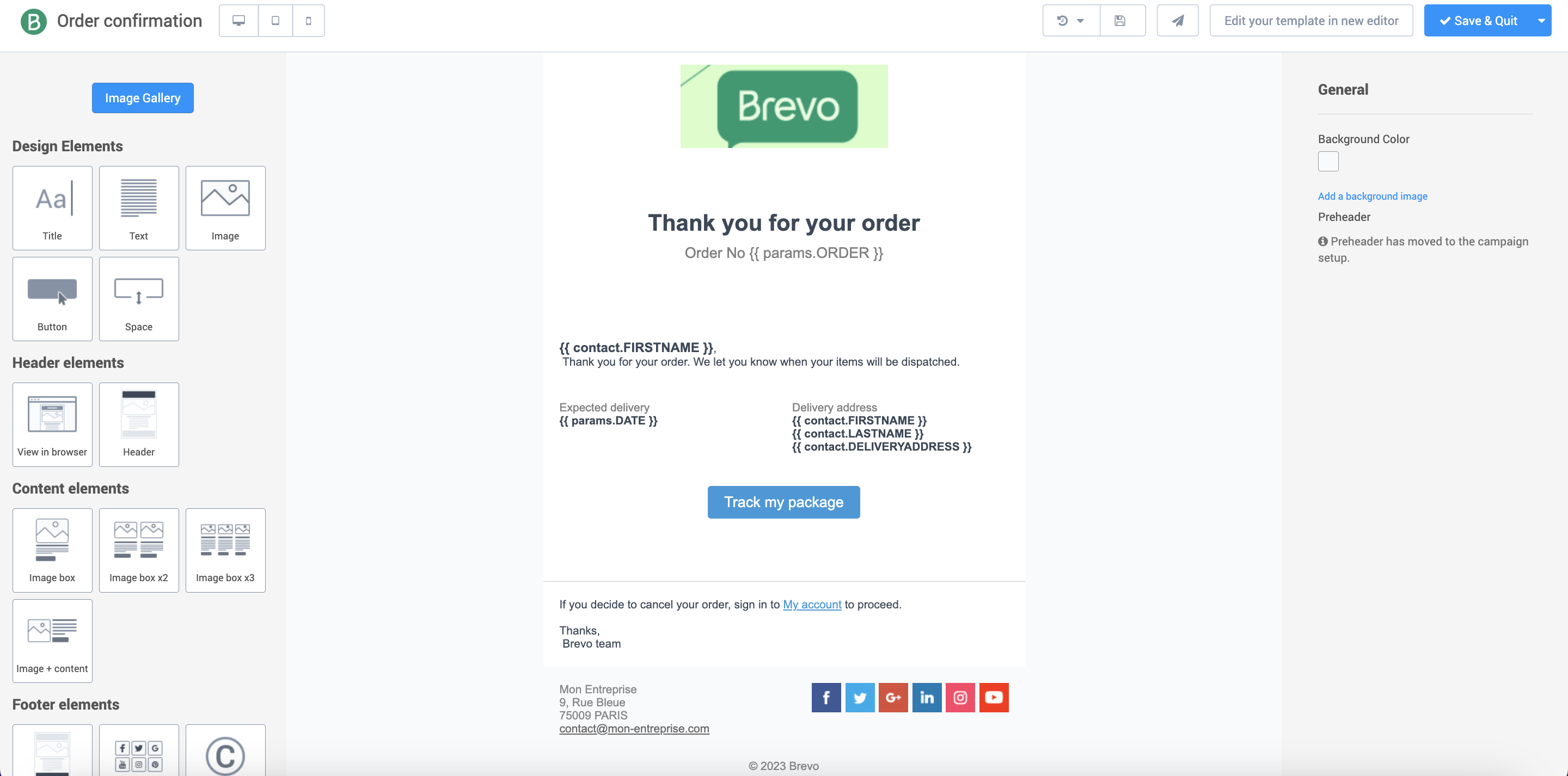
Brevo provides ready-made email templates for many uses. Templates save time and ensure professional design. Choose a template that fits your message type. Templates have sections for images, text, and buttons. You can change colors and fonts to match your brand. This makes your emails look consistent and trustworthy.
Customizing Content
Change the text and pictures in your chosen template. Write short, clear sentences that explain your offer. Use bullet points to list benefits or features. Add images that support your message. Avoid cluttering the email with too many elements. Keep the design simple and focused on the goal.
Adding Personalization
Personalization helps your emails feel more friendly and direct. Use Brevo’s tools to add the recipient’s name or location. Personal greetings increase the chance of email opens and clicks. Tailor your content based on customer data. This makes your message more relevant and engaging.

Credit: www.pcmag.com
Automating Email Workflows
Automating email workflows saves time and keeps your audience engaged. Brevo offers easy tools to set up these workflows. You can send emails automatically based on customer actions. This helps send the right message at the right time. Automated workflows improve your email marketing results without extra effort.
Creating Automation Rules
Start by choosing a clear goal for your automation. Brevo lets you create rules that trigger emails. These rules work like if-then commands. For example, if someone subscribes, then send a welcome email. You can add many steps to build a full workflow. Each step can wait for a set time or action. This way, your emails follow a natural path.
Triggering Emails Based On Behavior
Brevo tracks user actions such as clicks, opens, and purchases. Use these behaviors to send tailored emails automatically. For instance, if a user clicks a product link, send a related offer. If they do not open an email, send a reminder later. These triggers help keep your messages relevant. Personalized emails often get better responses and clicks.
Analyzing Campaign Performance
Analyzing campaign performance is key to improving your email marketing results with Brevo. It helps you understand how your emails connect with your audience. You can see what works and what needs change. This process saves time and increases your campaign success.
Tracking Open And Click Rates
Open rates show how many people open your emails. This number tells if your subject line grabs attention. Click rates reveal how many click links inside your email. High click rates mean your content interests readers. Brevo provides clear reports on these rates. Use this data to adjust subject lines and content. Small changes can lead to better engagement.
Using A/b Testing
A/B testing means sending two versions of an email to small groups. Each version has one change, like a different headline or image. Brevo tracks which version performs better. This helps you pick the best option for your main list. Testing improves email results over time. It removes guessing and uses real data. Start with simple changes to see clear effects.

Credit: www.brevo.com
Optimizing Deliverability
Optimizing deliverability is key to successful email marketing with Brevo. It ensures your emails reach the inbox, not the spam folder. Good deliverability increases open rates and customer engagement. Brevo offers tools and features to help keep your emails safe and trusted by email providers.
Managing Spam Compliance
Spam compliance means following rules to avoid being marked as spam. Brevo helps you include required elements like an unsubscribe link. It checks your emails for spammy words and risky content. Always use clear subject lines and honest messages. Avoid buying email lists. Send emails only to people who agreed to get them.
Maintaining List Hygiene
List hygiene means keeping your email list clean and updated. Remove inactive or bounced email addresses regularly. Brevo provides tools to track and delete bad contacts. A clean list improves deliverability and saves costs. Ask subscribers to update their preferences. Regularly clean your list to keep it fresh and healthy.
Integrating Brevo With Other Tools
Integrating Brevo with other tools helps you manage your email marketing better. It makes your work smooth and saves time. You can connect Brevo with your existing systems to keep all data in one place. This way, you send targeted emails using accurate customer information.
Connecting Crm Systems
Brevo works well with many CRM systems. Connecting your CRM to Brevo lets you sync contacts automatically. This keeps your email lists updated without manual work. You can use customer data from your CRM to create personalized campaigns. It improves how you communicate with your audience. Many popular CRMs have direct Brevo integrations for easy setup.
Using Api For Custom Integrations
Brevo offers an API for custom connections. This lets developers build tools that fit your needs. You can send data between Brevo and other software automatically. The API supports actions like adding contacts, sending emails, and tracking results. Custom integrations help you automate tasks and improve workflow. It fits well if your tools do not have ready-made links.
Credit: developers.brevo.com
Frequently Asked Questions
What Is Brevo And How Does It Aid Email Marketing?
Brevo is an email marketing platform designed to create, send, and track campaigns efficiently. It offers automation, segmentation, and analytics tools. These features help businesses engage audiences and boost conversions through personalized emails.
How Do I Create An Email Campaign Using Brevo?
To create a campaign, log into Brevo, select “Create Campaign,” and choose a template. Customize your email with content and images. Set your target audience, schedule the send time, and launch the campaign.
Can Brevo Integrate With Other Marketing Tools?
Yes, Brevo supports integrations with CRM, e-commerce, and analytics tools. These integrations streamline data sharing and improve marketing workflow. Popular options include Shopify, Salesforce, and Google Analytics.
How Does Brevo Handle Email Automation?
Brevo offers automation workflows triggered by user behavior or time-based events. You can set welcome emails, follow-ups, and cart abandonment reminders. This improves customer engagement and saves time.
Conclusion
Using Brevo for email marketing makes reaching your audience simple and clear. The tools help you create, send, and track emails easily. You can grow your list and keep contacts engaged without much effort. Testing and analyzing results improve your campaigns over time.
Start small, learn as you go, and see steady progress. Brevo fits well for beginners and experts alike. Give it a try to connect better with your customers. Your email marketing can get better one step at a time.




