

Are you ready to create accounting software that truly fits your small business needs? Imagine having a tool designed just for you—simple, reliable, and powerful enough to keep your finances in perfect order.
Building your own accounting software might sound complicated, but it doesn’t have to be. You’ll discover easy steps and practical tips to help you design software that saves time, reduces errors, and gives you control over your money. Keep reading, and by the end, you’ll know exactly how to start creating a solution tailored for your business success.
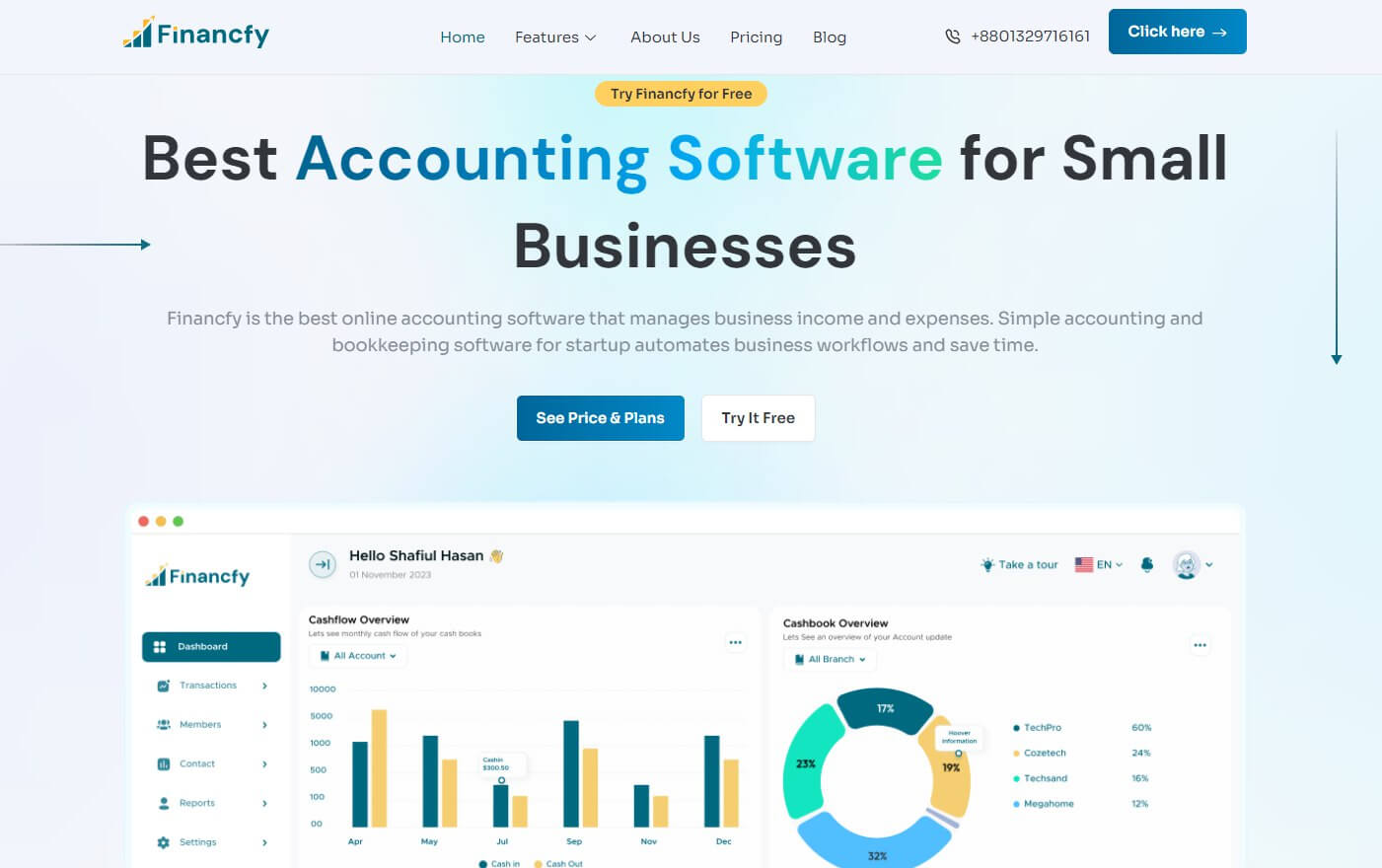
Credit: financfy.com
Choosing The Right Platform
Choosing the right platform is a key step in making accounting software for small business. It affects how users access and use the software daily. The platform must fit the business needs and technical skills. This choice impacts speed, security, and convenience. Understanding the options helps create better software that small businesses can trust and use easily.
Web Vs Desktop Applications
Web applications run in a browser without installation. They offer easy access from any device with internet. Updates happen automatically on the server side. Desktop applications install directly on a computer. They often run faster and work offline. Desktop apps can handle large files better. Choose web apps for easy access and updates. Pick desktop apps for speed and offline use.
Mobile Compatibility
Many small business owners use phones to manage tasks. Mobile compatibility means the software works on smartphones and tablets. The design must fit small screens and touch controls. Mobile-friendly software lets users check accounts and send invoices anywhere. It improves productivity and saves time. Including mobile support increases the software’s value to small businesses.
Cloud Integration
Cloud integration stores data on remote servers. It allows real-time collaboration between users. Cloud software backs up data automatically. It reduces the risk of data loss. Small businesses benefit from easy data sharing and access. Cloud platforms scale easily as the business grows. Adding cloud support makes the software flexible and secure.
Key Features To Include
Choosing the right features is important when making accounting software for small businesses. The software must handle key tasks clearly and fast. Focus on features that help users save time and reduce errors. The software should be simple but powerful enough for daily accounting needs.
Invoicing And Billing
Create invoices quickly. Allow users to customize invoice templates with their logo and details. Include options to send invoices by email or download as PDF. Track invoice status like sent, viewed, or paid. Support multiple payment methods for easier collections.
Expense Tracking
Allow users to enter expenses easily. Categorize expenses by type or project. Enable photo uploads of receipts for proof. Show expense summaries to control spending. Sync with bank accounts for automatic updates.
Financial Reporting
Generate clear reports like profit and loss, balance sheet, and cash flow. Use charts and tables for better understanding. Offer options to export reports as Excel or PDF files. Update reports in real-time for accurate data.
Tax Calculation
Calculate taxes automatically based on local rules. Support different tax types like sales tax or VAT. Show tax details on invoices and reports. Help users prepare for tax filing with summaries and forms.
User Access Control
Set different permission levels for users. Allow owners full access and others limited views. Protect sensitive data by restricting access. Track user actions for security and audit purposes.
Designing The User Interface
Designing the user interface is a key step in creating accounting software for small business. A clean and clear interface helps users find what they need fast. It also reduces errors and saves time. The interface should look simple but be powerful enough to handle all tasks.
Focus on making the software easy to use. Avoid clutter and confusing menus. Think about the daily tasks users will perform. Design each screen to guide users naturally through their work.
Simple Navigation
Navigation must be easy and intuitive. Use clear labels for menus and buttons. Group related functions together. Users should move through the software without guessing. Keep the menu structure shallow to avoid too many clicks. Use icons that match their actions for quick recognition.
Dashboard Layout
The dashboard is the first screen users see. Show important information clearly and quickly. Include summaries like income, expenses, and account balances. Use charts and graphs for easy understanding. Avoid too many details on one screen. Keep it clean so users focus on the most important data.
Customization Options
Allow users to customize their interface. Let them choose which widgets or reports appear on the dashboard. Provide options to change colors or fonts for comfort. Customization helps users work faster and feel in control. Keep customization simple so it does not confuse new users.

Credit: akaunting.com
Choosing The Technology Stack
Choosing the right technology stack is key to building reliable accounting software. It affects speed, security, and user experience. Picking tools that fit your business needs saves time and money.
Focus on three main parts: frontend frameworks, backend languages, and databases. Each part plays a unique role in the software’s function.
Frontend Frameworks
The frontend is what users see and interact with. It must be clear and simple. Popular frameworks include React, Angular, and Vue.js. React offers flexibility and a large community. Angular is good for large projects with many features. Vue.js is easy to learn and fast. Choose a framework that suits your team’s skills and project size.
Backend Languages
The backend handles data, logic, and security. It works behind the scenes. Common languages are Python, Java, and Node.js. Python is beginner-friendly and has many libraries. Java is strong and stable for heavy tasks. Node.js uses JavaScript, good for fast development. Pick a language based on your project needs and developer experience.
Database Choices
The database stores all financial data safely. It must be reliable and scalable. SQL databases like MySQL and PostgreSQL are popular. They handle complex queries and transactions well. NoSQL options like MongoDB are flexible for changing data. Choose a database that fits your data type and growth plans.
Implementing Security Measures
Security is a key part of building accounting software for small businesses. Protecting financial data builds trust and keeps information safe. Every small business needs strong security to prevent data theft and fraud.
Implementing security measures helps guard sensitive information. It also keeps your software reliable and professional. Focus on three main areas: data encryption, authentication, and backup solutions. Each plays a vital role in keeping data secure.
Data Encryption
Data encryption changes information into a secret code. This code hides data from unauthorized users. Encrypt financial records, transactions, and personal details. Use strong encryption like AES or RSA for protection.
Encryption protects data both during transfer and storage. This stops hackers from reading sensitive data. Always encrypt data on servers and in communication channels.
Authentication Methods
Authentication confirms the identity of users. Use passwords, two-factor authentication (2FA), or biometrics. This stops unauthorized access to the software.
Require users to create strong passwords with letters, numbers, and symbols. 2FA adds a second step, like a code sent to a phone. Biometrics use fingerprints or facial recognition for extra security.
Backup Solutions
Backups copy data to prevent loss from crashes or attacks. Schedule regular backups and store them safely. Use cloud storage or external drives for backups.
Test backups often to ensure data can be restored. This keeps accounting data safe from accidental deletion or malware.
Testing And Debugging
Testing and debugging are key steps in making accounting software for small businesses. They help find mistakes and fix problems early. This ensures the software works well and is easy to use. Careful testing builds trust and saves time later.
Unit Testing
Unit testing checks small parts of the software one by one. Each function or module is tested to make sure it works right. This helps catch errors early. Developers write simple tests to see if each unit does what it should. It keeps the software stable as new features get added.
User Acceptance Testing
User acceptance testing means real users try the software. They check if it meets their needs and is easy to use. This step shows if the software is ready for daily use. Feedback from users helps find issues that developers might miss. It ensures the software fits business tasks well.
Performance Testing
Performance testing looks at how fast and reliable the software runs. It tests the software under heavy use to avoid slowdowns or crashes. Small businesses need smooth and quick software to keep work moving. This testing finds weak points so developers can improve speed and stability.
Deployment And Maintenance
Deployment and maintenance are key steps in making accounting software for small businesses. Proper deployment ensures the software runs smoothly. Maintenance keeps it reliable and secure over time.
Both steps require clear planning and ongoing attention. Small businesses depend on accurate accounting data. Downtime or bugs can cause problems and delays.
Hosting Options
Choose the right hosting for your software. Cloud hosting offers easy access from any device. It also reduces the need for hardware on site.
On-premise hosting gives full control over data and security. It requires more setup and maintenance work. Consider costs, security, and user needs before deciding.
Regular Updates
Update the software often to fix bugs and add features. Updates improve security and user experience. Schedule updates during low-use times to avoid disruptions.
Notify users about updates in advance. Provide clear instructions for installing new versions. Regular updates keep the software working well and safe.
Customer Support
Offer reliable support for users facing issues. Provide multiple ways to reach help, like chat, email, or phone. Quick responses build trust and satisfaction.
Train support staff to understand common problems. Use feedback to improve the software and service. Good customer support helps retain users and grow your business.

Credit: www.invensis.net
Compliance And Legal Considerations
Creating accounting software for small businesses requires careful attention to compliance and legal rules. These rules protect user data and ensure the software follows financial laws. Ignoring these can cause serious problems for developers and users. Understanding key legal areas helps build safe and trustworthy software.
Data Privacy Laws
Data privacy laws control how software collects and uses personal information. Small business accounting software often stores sensitive data like names, addresses, and financial details. Developers must follow laws such as GDPR or CCPA to protect this data. Secure data storage and clear user consent are essential. Users must trust that their data stays private and safe.
Financial Regulations
Financial regulations set rules for handling money and accounting records. The software must support accurate reporting and tax compliance. Features like audit trails and secure transaction records help meet these rules. Staying updated on changing laws is important. Non-compliance can lead to fines and legal trouble for users and developers.
Licensing
Licensing ensures the software uses legal tools and libraries. Developers must avoid copying code without permission. Using open-source components requires following their license terms. Proper licensing protects the software from legal claims. Clear licensing also informs users about their rights and limitations.
Frequently Asked Questions
What Features Should Accounting Software For Small Business Have?
Essential features include invoicing, expense tracking, bank reconciliation, tax calculation, and financial reporting. These help streamline finances and improve accuracy for small businesses.
How Much Does It Cost To Develop Accounting Software?
Costs vary widely based on complexity, platform, and features. Basic software may cost $5,000 to $20,000, while advanced solutions can exceed $50,000.
Which Programming Languages Are Best For Accounting Software?
Popular choices include Java, Python, C, and JavaScript. These languages offer reliability, scalability, and strong support for financial calculations.
How To Ensure Data Security In Accounting Software?
Implement encryption, user authentication, and regular backups. Secure coding practices and compliance with data protection laws are also critical.
Conclusion
Creating accounting software for small businesses takes clear steps and focus. Start with understanding basic needs and keep the design simple. Test the software often to fix issues early. Add features that help track money and generate reports. Remember, easy use saves time and avoids mistakes.
A well-built tool supports small businesses to manage money better. Keep improving your software based on user feedback. This way, your product stays helpful and trusted. Small steps lead to great results.




