Disclosure: this article contains an affiliate link. If you buy through it, we may earn a commission.
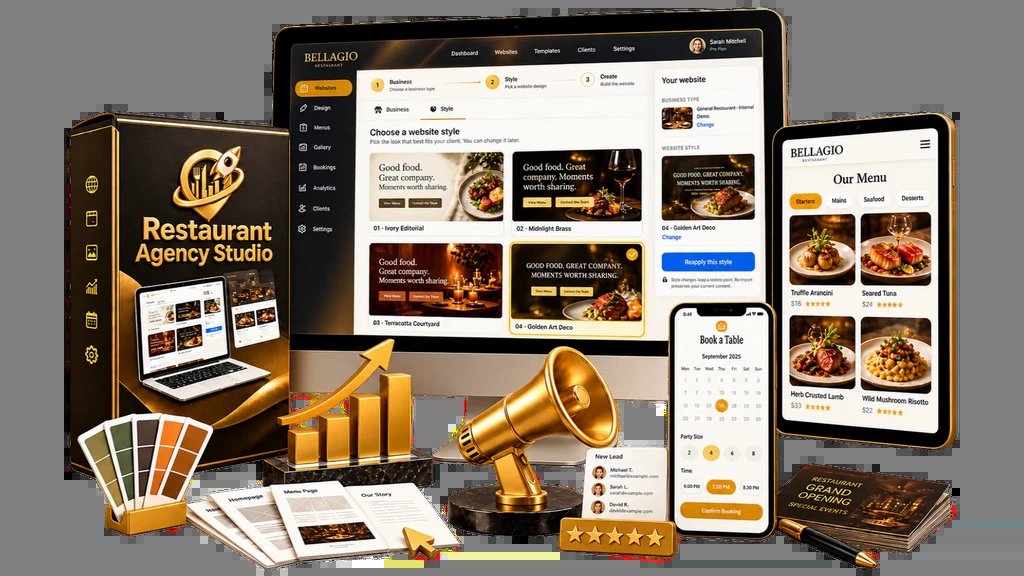
Building a website for a restaurant owner often feels like a slow, repetitive chore that takes hours of planning and design before you even have a pitch to show. What is Restaurant Agency Studio? It’s a WordPress-powered website studio designed to help local marketers, freelancers, and consultants build and sell restaurant-focused websites by using pre-made styles, niche content packs, and personalized demo tools.
How Restaurant Agency Studio Automates Outreach
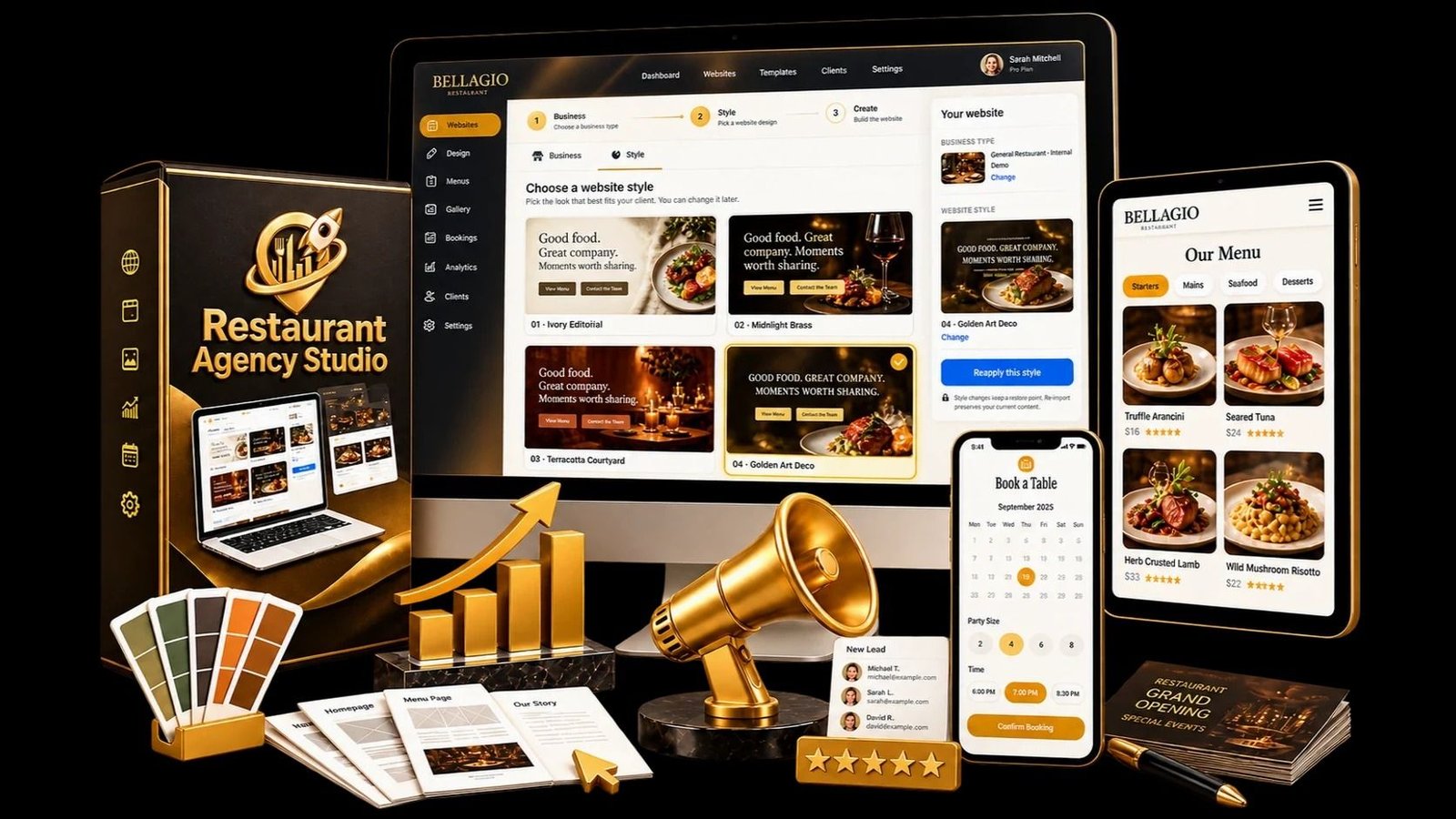
When you want to land a new client, showing them a generic portfolio is rarely enough to close the deal. Most restaurant owners want to see how their specific business could look online before they commit to paying for a full site. This system changes the process by focusing on “instantly” turning a business name or a public listing into a live demo.
You don’t start from a blank screen. Instead, you use a workflow built specifically for the food industry. By focusing on the visual and functional needs of restaurants, such as menus and booking systems, you spend less time on technical setup and more time on the actual pitch.
Steps to Launch Your Web Agency
The process is designed to be sequential so you can move from finding a prospect to delivering a finished project. You don’t need to build the infrastructure from scratch for every single client you sign.
- Set up the agency base: You begin by following a guided onboarding process to get your own agency website running on WordPress. This serves as the central hub where you manage your business operations and showcase your services to potential restaurant clients.
- Select a design and niche: You pick from a range of professional design systems and pair them with one of 10 niche content packs. This selection acts as your foundation, ensuring the site matches the specific type of restaurant you’re targeting, whether it’s a casual cafe or a formal dining room.
- Create a personalized demo: You input the restaurant’s name or details to generate a demo that reflects their brand. This allows you to walk into a pitch with a visual representation of their future website, which is often more persuasive than a simple conversation about your services.
- Pitch and build the site: Once the owner agrees to the project, you use their own dedicated WordPress installation to build out the final site. You fill in the remaining details like the full menu, photo galleries, and booking paths to complete the delivery.
Key Features for Restaurant Websites
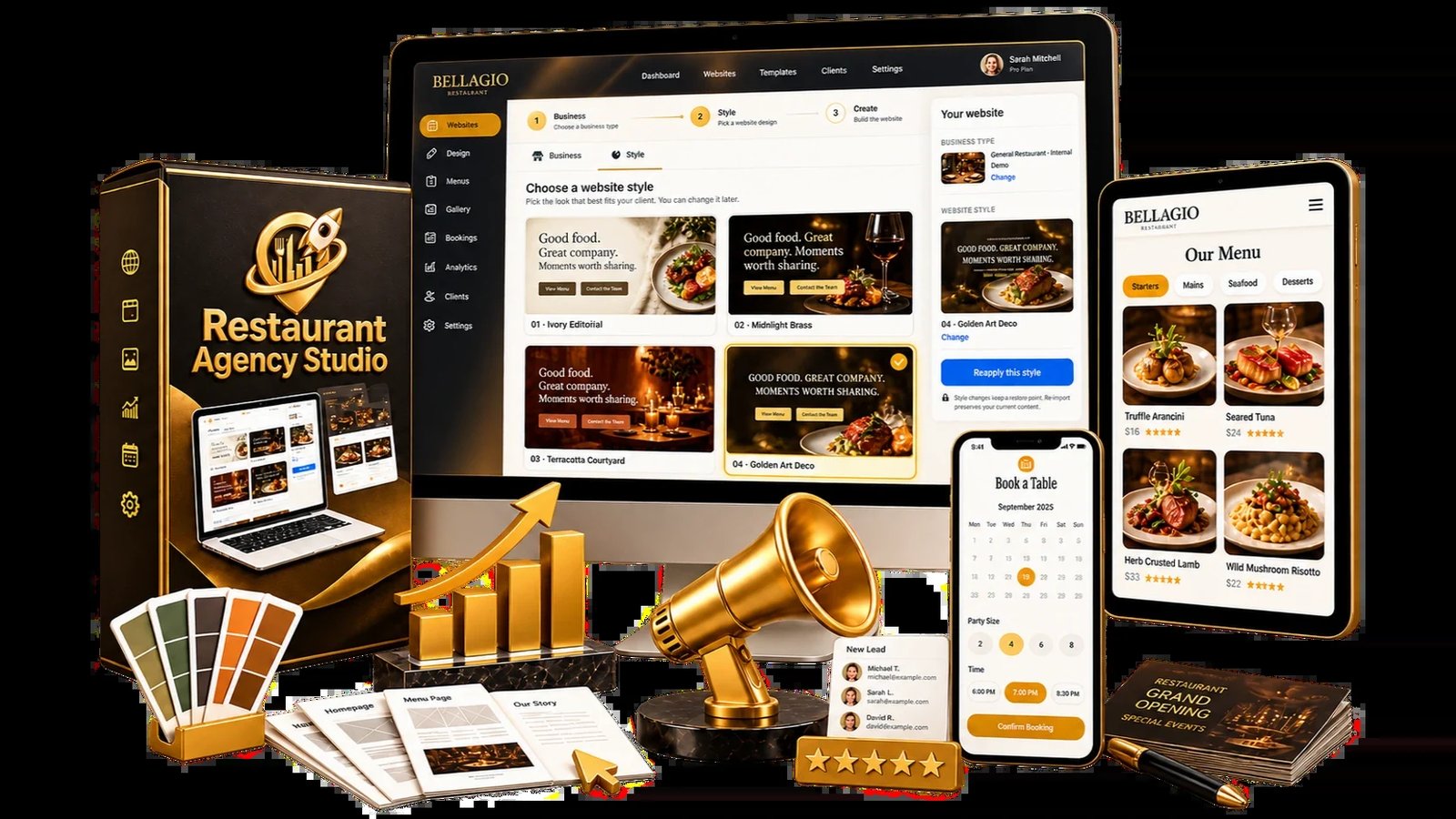
Every restaurant has different technical requirements compared to a standard business site. A site for a local bistro needs to be easy for customers to navigate on a phone while they’re walking down the street.
- Searchable menus: Customers expect to search through dishes quickly. The system includes pre-built menu structures that allow you to organize food items so they’re easy to find and read on any screen size.
- Booking paths: Reservation systems are essential for busy venues. By including these paths in the initial build, you save yourself the trouble of hunting for compatible plugins or configuring complex scheduling software for each client.
- Niche content packs: A pizza place looks very different from a sushi bar. These packs provide the layout and content structure tailored to specific types of food businesses, so you don’t have to write or design from scratch for every new project.
- Independent installations: Each client receives their own separate WordPress installation. This is important because it keeps your clients’ sites secure and independent, meaning one client’s site settings won’t interfere with another’s.
Who This System Is For
This tool is built for people who want to specialize in the restaurant industry rather than offering general web design for every type of business. If you’re a freelancer or a small agency owner, you might find that having a repeatable process for a specific niche saves you significant time. By standardizing the design and setup, you can handle a higher volume of clients without needing a massive team of developers.
However, this isn’t for someone who wants total manual control over every line of code or who prefers building custom, one-off designs from zero for every project. If you enjoy the process of custom-coding every element, you may find the pre-made styles and niche packs limiting. You should confirm that your existing hosting setup supports the WordPress requirements needed for these installations before you start.
Frequently Asked Questions
Does this include hosting for my clients?
No, the system provides the WordPress-powered studio files and design assets. You’ll still need to manage the hosting for your own agency site and the separate WordPress installations you create for each of your restaurant clients.
Can I change the designs after picking them?
Yes, because the final sites are built on WordPress, you have the ability to personalize the demo and the final project. You can add the specific branding, images, and details of the restaurant to make the site look unique to that business owner.
Do I need to be a professional developer?
The system is designed for local marketers, freelancers, and consultants who want a faster way to build sites. While it uses WordPress, the guided onboarding and pre-made styles are meant to simplify the technical side of the process for those who aren’t full-time web developers.
How many niches are included?
The studio comes with 10 different niche content packs. These are designed to cover various types of restaurant businesses, allowing you to choose the one that best fits the specific prospect you’re currently pitching to at that moment.
Is the menu feature easy to update?
Restaurant sites prioritize searchable and functional menu structures. Once delivered, clients can easily manage their own content updates using the standard WordPress dashboard provided with their installation.
Comparing Agency Workflow Methods
This studio streamlines your business by providing a structured foundation, whereas standard development often requires you to build every project from scratch.
| Development Method | Time to First Demo | Customization Level | Client Focus |
|---|---|---|---|
| Standard WordPress Build | 5–10 Days | Fully Custom | Broad / General |
| Website Template Kits | 2–4 Days | Moderate | Niche / Industry |
| Restaurant Agency Studio | Minutes | High (via Personalization) | Restaurant Specific |
The “Time to First Demo” refers to the period between identifying a prospect and having a visual site ready to show. Using this studio, the process is compressed because the niche packs and professional styles are pre-configured to match the needs of a food service business.
Troubleshooting Common Setup Questions
Even with a guided process, you may encounter specific situations where the setup feels unclear. These questions address the practical hurdles you might face during the initial deployment of your agency site or your first client site.
Why does my demo look different from the niche pack?
If your demo doesn’t match the niche pack, check that you have correctly paired the professional style with the intended content pack. The system relies on these two elements working together. If you select the wrong content pack for the restaurant type, the layout might not automatically pull in the expected menu or gallery structures. Ensure you have selected the specific pack that matches the restaurant’s cuisine or service style, such as a casual cafe versus a fine-dining establishment, before generating the demo.
Can I use my own hosting for client installations?
Yes, you’re responsible for the hosting environment for each client installation. Since each client site is a separate WordPress installation, you must ensure that your hosting provider allows for multiple WordPress instances or that you have a plan that accommodates the number of sites you intend to build. You should confirm with your hosting provider that they support the standard WordPress requirements, as the system doesn’t dictate your choice of host.
What happens if a client wants a feature not in the pack?
The niche content packs provide the foundation, but the sites are built on WordPress, which allows for further development. If a client requests a feature like an online ordering system or a specific membership portal, you can add those capabilities to their site using standard WordPress plugins. The studio gives you the starting point, but you maintain control over the final site’s functionality once you begin the delivery phase.
How do I handle branding for a new restaurant?
During the personalization phase, you’re expected to add the specific branding of the restaurant. This includes uploading their logo, using their color palette, and inputting their specific menu items. The demo generation tool uses the restaurant’s details to make the site look like it belongs to them, but you’re the one who ensures the final site matches their brand identity before the official delivery.
Is there a limit to how many sites I can build?
The system provides the studio and the resources to build and sell restaurant websites, but the facts don’t mention a hard limit on the number of client sites you can create. Since you’re performing the installations for each client individually, your capacity is generally limited by your own time and your hosting resources rather than a restriction within the studio software itself.
Professional Growth in the Restaurant Niche
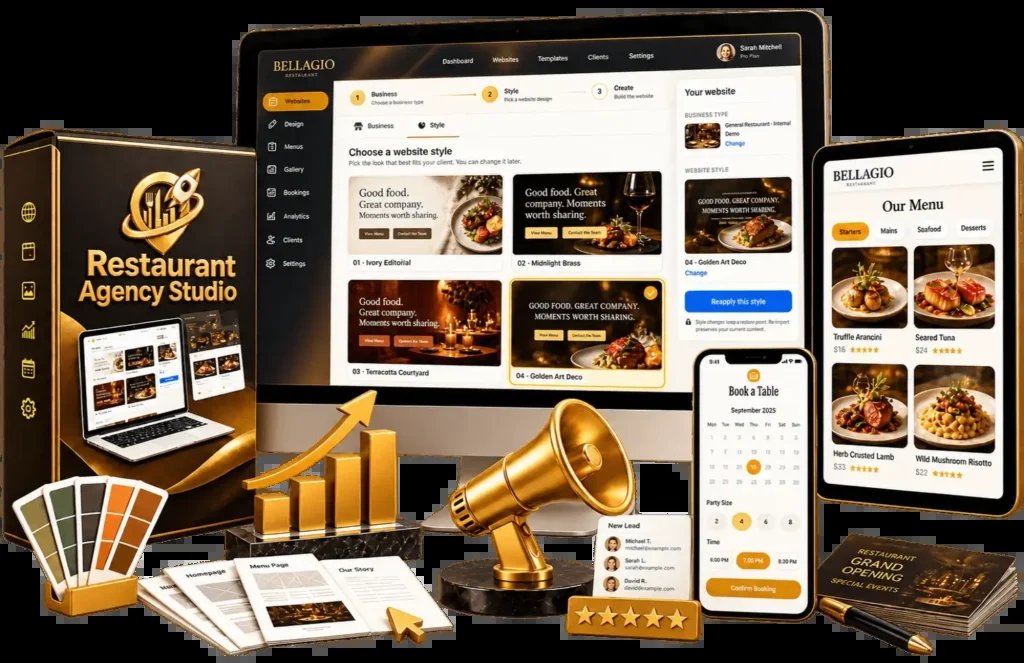
Focusing on a single niche allows you to become an expert in the specific requirements of that industry. Restaurant owners have unique needs that differ from other local businesses, such as the requirement for mobile-responsive menus that load quickly for hungry customers. By mastering the workflow of this studio, you can offer a consistent quality of service that’s harder to achieve when jumping between different industries like law, construction, or retail.
When you pitch to a restaurant owner, you aren’t just selling a website. You’re selling a solution to their problem of how to reach customers who are searching for a place to eat. By using a personalized demo, you show them you understand their brand. You’re moving from a “web designer” to a “restaurant marketing consultant.” This shift in perspective can make it easier to justify the value of your services.
Tip: Before you start your first pitch, familiarize yourself with all 10 niche content packs so you can quickly identify which one best suits a prospect’s restaurant style during your initial discovery meeting.
Do I need to buy a license for every restaurant client?
The facts don’t mention a per-client license fee. You’re provided with a complete WordPress-powered studio that allows you to build and sell sites, and each site uses its own independent WordPress installation. You should check the terms provided at the point of access to confirm your usage rights for multiple clients.
Can I use the studio for non-restaurant businesses?
The studio is specifically designed for building and selling restaurant websites. While it uses WordPress, the styles, niche content packs, and the focus on menus and booking paths are tailored to the food industry. Using it for other business types would likely require significant manual changes to the content and structure provided.
Does the system include any training materials?
Yes, the studio includes guided onboarding to help you set up your own agency website. This process is designed to walk you through the necessary steps to get your agency platform functional in WordPress, ensuring you have a familiar environment for managing your business and your client projects.
What is the advantage of using a personalized demo?
A personalized demo allows you to show a restaurant owner what their specific business could look like online. By using their name and branding to create a live preview, you provide a tangible example of your work, which is often more convincing than showing a general portfolio or explaining your services in abstract terms.
Is it possible to host these sites on a local server for testing?
The system is built for WordPress, which typically requires a web server to function correctly. While you can test locally using standard development tools, the studio is intended for building and delivering live websites to clients. You should ensure your testing environment matches the requirements of a live web server to avoid issues during the final delivery phase.
What should I look for in a hosting provider?
You should look for a provider that supports standard WordPress installations and offers enough space and bandwidth for the number of restaurant sites you plan to manage. Because each client gets their own installation, confirm that your chosen plan allows for multiple databases and installations to prevent performance issues as your agency grows.
Restaurant Agency, in short
For those ready to specialize in the restaurant market and streamline their client outreach, Restaurant Agency Studio offers a structured path to building and delivering professional sites. Your next step should be to review the 10 niche packs to see which types of restaurants in your local area you want to approach first.