
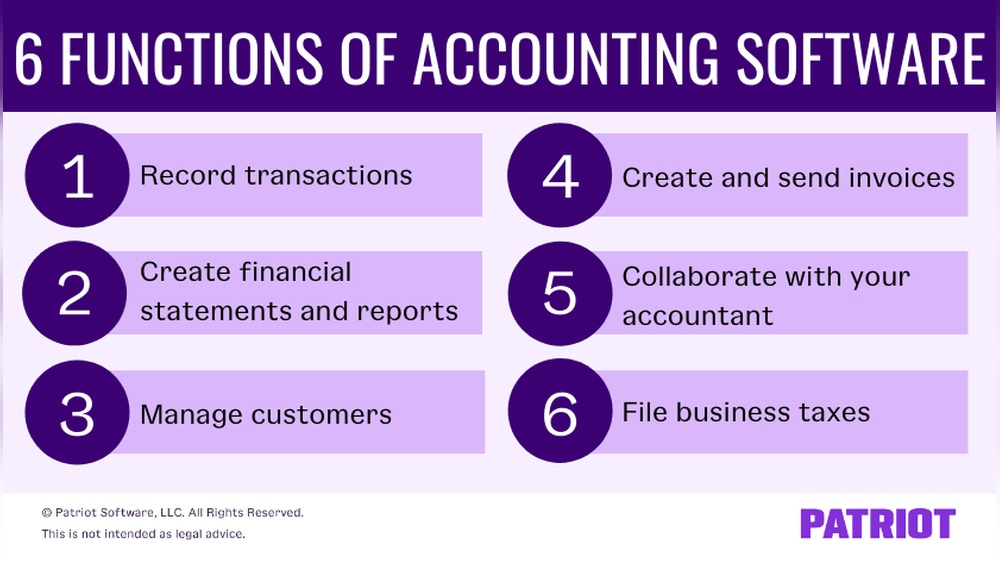
Are you struggling to keep your business finances organized and up to date? Understanding the main functions of accounting software could be the game-changer you need.
This powerful tool does much more than just crunch numbers—it helps you track expenses, manage invoices, and generate financial reports with ease. Imagine having all your financial data in one place, accessible anytime, so you can make smarter decisions and save valuable time.
Keep reading to discover exactly how accounting software can simplify your financial management and boost your business success.
Transaction Recording
Transaction recording is a core feature of accounting software. It captures every financial activity your business makes. This process ensures accuracy and organizes data for future use. Clear records help in understanding the financial health of your business. Let’s explore the main areas of transaction recording.
Sales And Purchases
Accounting software records all sales and purchase transactions. Each sale is logged with details like date, amount, and customer information. Purchases are tracked with vendor details and costs. This helps keep a clear record of money coming in and going out. Accurate entries aid in managing inventory and cash flow.
Expense Tracking
Tracking expenses is vital for budgeting and tax purposes. The software records every business expense, from office supplies to utility bills. It categorizes expenses for easier reporting. Monitoring expenses helps control costs and improves financial planning. This feature reduces errors from manual entry.
Payment Management
Payment management keeps track of all payments made and received. The software records when payments are due and confirms when they are completed. It helps avoid late fees and missed payments. Managing payments improves relationships with vendors and customers. This function also supports multiple payment methods.

Credit: financfy.com
Ledger Management
Ledger management is a core function of accounting software. It organizes all financial data into structured records. This helps businesses track income, expenses, assets, and liabilities accurately.
Maintaining clear and up-to-date ledgers supports better decision-making. It ensures compliance with accounting standards and simplifies audits. Accounting software automates ledger management to reduce errors and save time.
General Ledger Updates
The general ledger is the main record of all financial transactions. Accounting software updates it automatically as transactions occur. This real-time updating keeps financial data accurate and current.
Each entry in the general ledger includes details like date, amount, and account type. Software also categorizes transactions to help with reporting. These updates ensure the financial position of the business is always clear.
Subledger Accounting
Subledgers are detailed records supporting the general ledger. Examples include accounts payable and accounts receivable subledgers. Accounting software links subledger entries to the general ledger.
This connection helps track specific transactions without cluttering the main ledger. It improves transparency and makes it easier to manage complex accounts. Subledger accounting allows detailed tracking of financial activities.
Financial Reporting
Financial reporting is a key function of accounting software. It helps businesses track their financial health clearly and quickly. This reporting provides vital information for decision-makers. Reports are generated automatically, saving time and reducing errors.
These reports show how money flows in and out of the business. They also reveal profits, losses, and financial positions. Understanding these reports helps companies plan better and stay compliant with laws.
Income Statements
Income statements show a company’s revenues and expenses over time. They reveal the net profit or loss for a specific period. This report helps owners see if the business earns more than it spends. Accounting software generates this report accurately and fast. It also breaks down income by sources and tracks costs clearly.
Balance Sheets
Balance sheets give a snapshot of a company’s financial position. They list assets, liabilities, and owner’s equity at one point in time. This report helps measure company value and financial stability. Accounting software updates the balance sheet automatically with each transaction. It ensures data is current and reliable for reviews or audits.
Cash Flow Statements
Cash flow statements track the flow of cash in and out of the business. They show how well the company manages cash to pay bills and invest. This report highlights cash from operations, investing, and financing activities. Accounting software simplifies creating this report by compiling all cash transactions. It helps businesses avoid cash shortages and plan expenses wisely.
Asset Management
Asset management is a vital function of accounting software. It helps businesses keep track of their valuable resources. Managing assets correctly ensures accurate financial records and better decision-making. This function covers tracking the location, status, and value of assets.
Accounting software simplifies asset management by automating many tasks. It reduces errors and saves time. Two important features within asset management are fixed asset tracking and depreciation calculation.
Fixed Asset Tracking
Fixed asset tracking monitors all physical assets owned by a business. These include equipment, machinery, and buildings. The software records details like purchase date, cost, and location. It updates asset status when items move or get disposed of. This tracking prevents loss and helps plan maintenance. It also supports audit processes by providing clear asset histories.
Depreciation Calculation
Depreciation calculation measures how asset value decreases over time. Accounting software automatically applies various depreciation methods. It calculates expense amounts for each accounting period. This ensures financial statements reflect true asset values. Automatic calculations save time and improve accuracy. They also help in tax reporting and budgeting.
Accounts Receivable And Payable
Accounts receivable and payable are key parts of accounting software. They help businesses manage money coming in and going out. This makes tracking financial health easier and saves time. Efficient handling of these accounts reduces errors and improves cash flow.
Invoice Creation And Tracking
Accounting software creates invoices quickly and accurately. It fills in customer details, products, and prices. Each invoice gets a unique number for easy tracking. The system sends reminders for unpaid invoices automatically. Users can see which invoices are paid or overdue at a glance.
Payment Processing
The software records payments from customers and to suppliers. It supports multiple payment methods like bank transfers and credit cards. Payments update the accounts automatically to avoid manual errors. This helps keep records up to date and clear for audits.
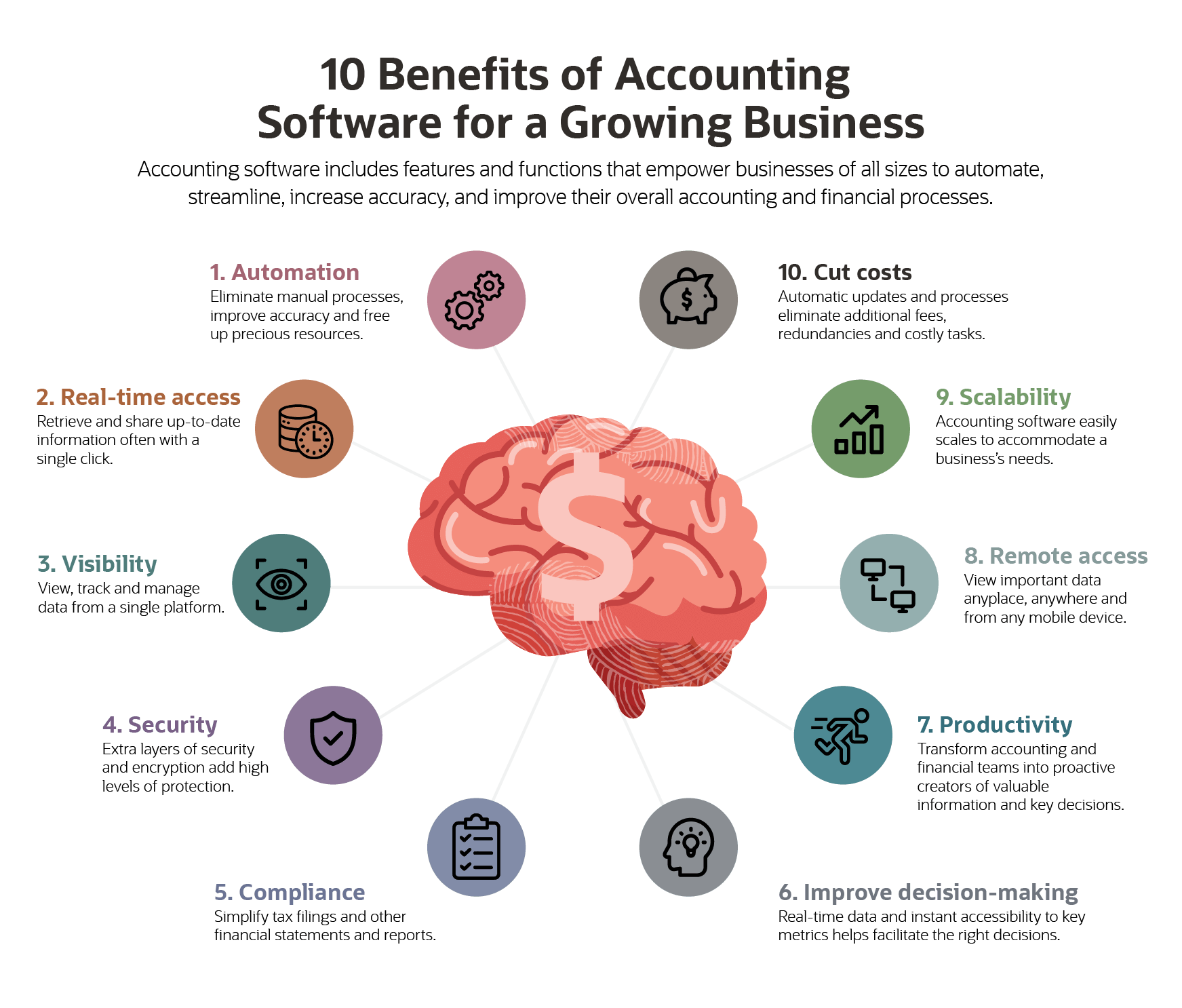
Credit: www.netsuite.com
Expense And Revenue Management
Expense and revenue management is a key function of accounting software. It helps businesses track money coming in and going out. This function keeps financial records organized and accurate. It supports smart decision-making by providing clear financial data.
Accounting software simplifies managing budgets and analyzing income. It saves time and reduces errors in financial tracking. This section highlights two important aspects: budget monitoring and revenue analysis.
Budget Monitoring
Budget monitoring lets businesses control their spending. The software tracks expenses against set budgets. It sends alerts when spending nears limits. This helps avoid overspending and keeps finances on track. Users can adjust budgets based on real-time data. It ensures funds are allocated properly across departments.
Revenue Analysis
Revenue analysis helps understand where income comes from. The software breaks down revenue by product, service, or client. It shows trends and identifies top earners. This insight guides sales strategies and marketing efforts. Businesses can spot slow periods and plan accordingly. Clear revenue reports support better financial planning.
Analytics And Insights
Accounting software goes beyond simple bookkeeping. It offers powerful analytics and insights. These features help businesses understand their financial health clearly. With clear data, decisions become smarter and faster. Analytics provide a detailed view of finances and business trends.
This section highlights two key areas of analytics in accounting software: financial data analysis and performance metrics.
Financial Data Analysis
Financial data analysis breaks down complex numbers into simple facts. Accounting software collects data from all transactions. It then organizes this information into reports and charts. These visuals make it easy to spot income patterns, expenses, and cash flow. Businesses can track profits and losses at any time. This analysis helps identify cost-saving opportunities. It also ensures that budgets stay on track.
Performance Metrics
Performance metrics measure how well a business meets its financial goals. Accounting software tracks key indicators like revenue growth and expense ratios. It compares current data against past periods or set targets. This comparison shows areas of strength and weakness. Managers can use these insights to improve operations. Regular monitoring of metrics keeps the business focused and efficient.
Automation Features
Automation features in accounting software simplify many routine tasks. They save time and reduce errors by handling repetitive processes automatically. This helps businesses focus on more important activities while keeping financial records accurate and up to date.
Automation improves efficiency by ensuring tasks are done on schedule. It also helps maintain consistency in bookkeeping and financial reporting. Here are some key automation features found in most accounting software.
Recurring Transactions
Recurring transactions automate regular payments and invoices. Instead of entering the same data repeatedly, the software schedules these transactions automatically. This feature ensures bills and invoices are sent on time without manual input.
It helps maintain steady cash flow and avoids late fees. Businesses can set the frequency, amount, and recipients for each recurring transaction. This automation reduces the chance of missing important payments or invoices.
Automated Alerts
Automated alerts notify users about important financial events. These alerts can warn about upcoming payment due dates, low account balances, or unusual transactions. They help prevent missed deadlines and detect errors quickly.
Users can customize alerts based on their needs. This feature keeps businesses informed and ready to act. Automated alerts improve financial control and reduce the risk of costly mistakes.
User Access And Security
User access and security form a critical part of accounting software. They ensure that sensitive financial data stays safe and accessible only to authorized users. Proper controls help prevent unauthorized entry and data breaches.
Accounting software often handles confidential information. Protecting this data builds trust and meets compliance standards. It also reduces risks linked to fraud and errors.
Role-based Permissions
Role-based permissions limit access depending on user roles. Each user gets rights suitable for their job. For example, an accountant can view and edit transactions. A viewer may only access reports.
This feature prevents employees from accessing data they do not need. It creates a secure environment and reduces mistakes. Managers can assign or change roles easily.
Data Protection
Data protection includes encryption and secure backups. Encryption scrambles data so outsiders cannot read it. Backups save copies to restore information if lost or corrupted.
Strong passwords and two-factor authentication add extra layers of security. These methods stop unauthorized users from logging in. Overall, data protection keeps financial information safe from threats.
Integration Capabilities
Integration capabilities in accounting software allow smooth connection with other tools and services. They improve efficiency by reducing manual data entry. Integration helps maintain accurate and up-to-date financial records. It also speeds up business processes and decision-making.
Bank Feeds
Bank feeds connect your accounting software directly to your bank accounts. This connection imports transactions automatically every day. It saves time and reduces errors from manual entry. Bank feeds help you reconcile accounts quickly. They provide real-time updates on your cash flow.
Third-party Apps
Accounting software often integrates with various third-party applications. These include invoicing, payroll, inventory, and customer management tools. Such integration creates a seamless workflow across your business systems. It eliminates the need to switch between different software. This connection improves data consistency and simplifies reporting.
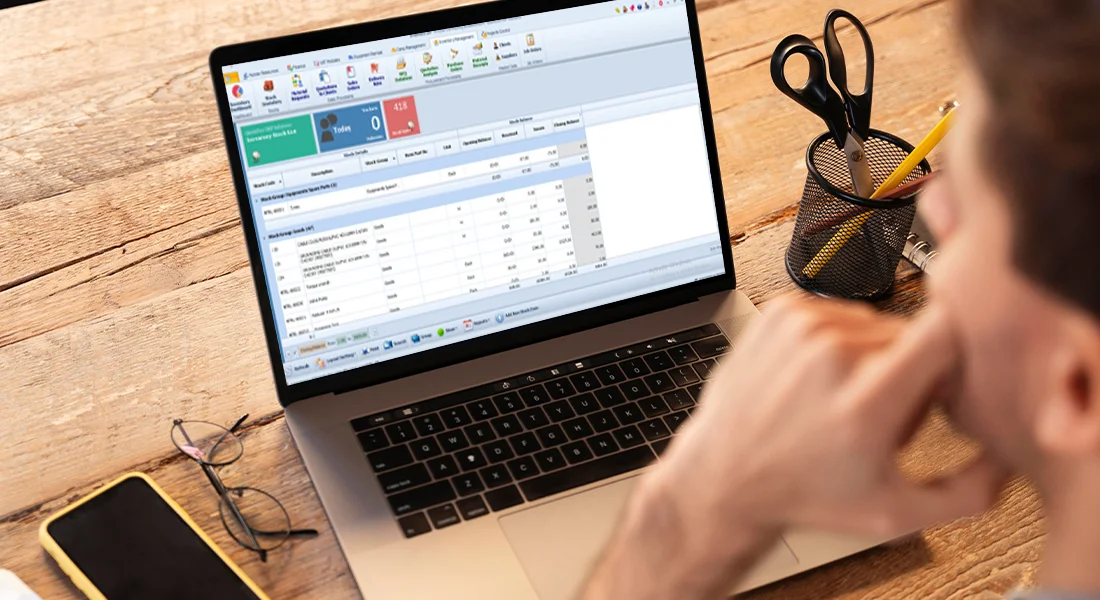
Credit: quickdiceerp.com
Frequently Asked Questions
What Are The Functions Of Accounting Software?
Accounting software records and categorizes transactions, manages expenses and revenues, tracks assets, generates invoices, and produces financial reports. It automates bookkeeping, monitors accounts payable and receivable, and provides real-time financial analytics for informed decision-making.
What Are The 5 Main Functions Of Accounting?
The five main functions of accounting are recording transactions, classifying data, summarizing financial information, analyzing results, and communicating reports to users.
What Are The Main Functions Of An Accounting System?
An accounting system records, classifies, and summarizes financial transactions. It tracks assets, liabilities, revenues, and expenses. It generates financial reports and supports decision-making with accurate data.
What Are The Main Functions Of Software?
Software performs tasks like data processing, managing resources, supporting user interaction, automating operations, and enabling communication. It controls hardware, runs applications, stores information, and ensures security. These functions improve efficiency, accuracy, and user experience across various devices and systems.
Conclusion
Accounting software helps businesses track and organize financial data. It records transactions quickly and accurately. It also categorizes expenses and income for clear reports. Users get easy access to important financial statements. This software supports better decision-making with real-time data.
It simplifies tax preparation and compliance tasks. Small and large businesses both benefit from its features. Choosing the right software saves time and reduces errors. Understanding these main functions can guide your software choice. Accounting software plays a key role in managing business finances well.




