

Are you struggling to find the right tool to manage your finances without the headache? Choosing between Tabby and Xero could be the game-changer for your business.
Both promise to simplify your bookkeeping and expense tracking, but which one truly fits your needs? Whether you’re a solopreneur, freelancer, or small business owner, understanding how these platforms work can save you time, money, and stress. You’ll discover the key differences between Tabby’s AI-powered automation and Xero’s cloud-based flexibility.
By the end, you’ll know exactly which tool puts you in control of your financial future—effortlessly. Ready to make your bookkeeping smarter and simpler? Let’s dive in.
Introduction To Tabby And Xero
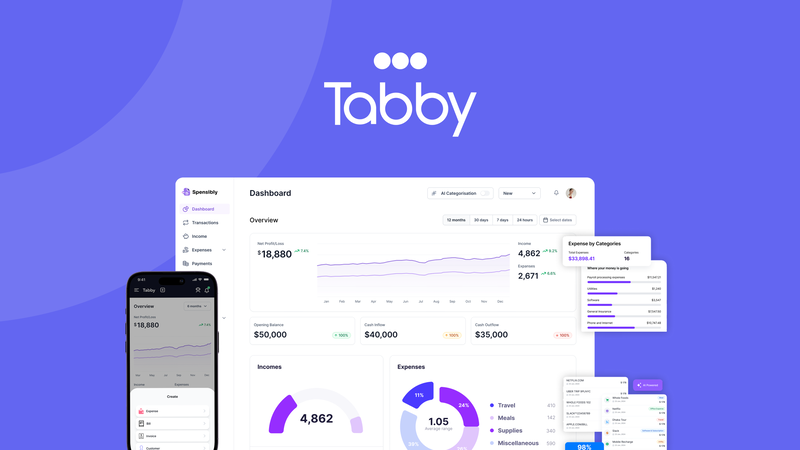
Tabby is an AI-powered bookkeeping tool made for freelancers and solopreneurs. It uses smart technology to sort expenses, find tax deductions, and create reports ready for taxes. Tabby connects with many banks and credit cards, so users avoid manual data entry. It is simple to use, even for people without accounting skills.
Xero is a cloud-based accounting software designed for small and medium businesses. It allows businesses to manage invoices, payroll, and bank accounts all in one place. Xero offers many app integrations, making it flexible for different business needs. It is popular among accountants for its ease of use and modern interface.
Comparing Tabby and Xero helps small business owners find the best tool for their accounting needs. Both aim to simplify bookkeeping but serve different users. Choosing the right one can save time and reduce errors.
Key Features That Set Tabby Apart
Tabby uses AI to track expenses automatically. It helps freelancers see where money goes without manual work. The system connects to banks and credit cards for easy updates. This saves time and reduces errors. The interface is simple and clear, made just for gig workers and solopreneurs. Users do not need accounting skills to use it well.
Tabby also tracks tax deductions by itself. It finds missed deductions to save money. This feature makes tax season less stressful and easier to handle. Reports are ready for filing, avoiding last-minute rushes.
Key Features That Make Xero Unique
Xero is a cloud-based platform that allows easy connection with your accountant. It saves time by syncing data in real time. This feature helps small businesses and freelancers keep their financial information up to date without hassle.
The platform supports hundreds of apps, making it highly customizable. Users can add tools for payroll, inventory, and more. This extensive app ecosystem lets businesses tailor Xero to their needs.
Xero offers comprehensive invoicing and expense management. Users can create professional invoices quickly and track payments. Expense tracking is simple, helping growing businesses stay organized and manage cash flow effectively.

Credit: www.usetabby.com
Pricing And Affordability Breakdown
Tabby offers cost-effective plans tailored for freelancers and small business owners. Its pricing suits those who want simple, AI-powered bookkeeping without a big budget. Tabby connects easily to many banks and credit cards, saving time and effort. It helps find missed deductions and creates tax-ready reports automatically.
Xero provides several pricing tiers aimed at small to medium-sized enterprises. These plans include more advanced features like multi-currency support and project tracking. Xero’s cloud-based system is user-friendly and integrates with many apps, making it flexible for growing businesses.
| Feature | Tabby | Xero |
|---|---|---|
| Target Users | Freelancers, small businesses | Small to medium enterprises |
| Pricing | Affordable, simple plans | Multiple tiers, higher cost |
| Key Features | AI bookkeeping, automatic deductions | Cloud-based, app integrations |
| Ease of Use | Designed for non-accountants | User-friendly, modern interface |
Both tools offer strong value but serve different needs. Tabby fits those wanting affordable simplicity. Xero suits businesses needing more advanced options and scalability.
Pros And Cons Based On Real-world Usage
Tabby offers a simple way to track expenses and manage books. It uses AI to sort expenses and find tax deductions automatically. The tool connects to many banks and cards, so no manual entry is needed. It is made for people who are not experts in accounting, giving clear, easy-to-understand reports.
On the downside, Tabby may not cover all complex accounting needs. It might struggle with large businesses or advanced features. Its scope is best for freelancers and small business owners.
Xero provides strong cloud access and works well with many other apps. This makes it good for businesses needing flexible tools and integrations. Accountants often like it because it links easily with their software.
Some users find Xero a bit too complex at first. The many features can create a steep learning curve. It might take time for new users to get comfortable.
Ideal Users And Use Case Recommendations
Tabby suits freelancers, gig workers, and solopreneurs who want simple and fast bookkeeping. It uses AI to track expenses and create tax-ready reports without complex steps. Users connect their bank accounts easily and avoid manual entry. Tabby is best for those with basic accounting needs and limited time.
Xero fits small to medium businesses needing full accounting tools. It supports invoices, payroll, inventory, and reports. Xero connects with many other apps, making it flexible for growing businesses. Companies with more complex finances find Xero useful for managing everything in one place.
| Scenario | Use Case |
|---|---|
| Solo business with simple expenses | Use Tabby to save time and reduce work. |
| Growing company with many financial tasks | Choose Xero for its detailed features and integrations. |
| Freelancer expanding to a small team | Start with Tabby, then add Xero later for growth. |
Conclusion: Making The Right Choice For Your Business
Tabby uses AI to make bookkeeping easy and fast. It helps track expenses and finds tax deductions automatically. Designed for people without accounting skills, it links with many banks and credit cards. This saves time and reduces errors.
Xero is cloud-based and works well with accountants. It has a simple, modern design and many app integrations. This makes it flexible and powerful for small businesses. Xero helps with invoicing, payroll, and financial reports.
| Feature | Tabby | Xero |
|---|---|---|
| Ease of Use | Simple for non-accountants | User-friendly but may need some training |
| Automation | AI-powered expense categorization | Manual setup with automation options |
| Bank Integration | Connects to many banks & cards | Strong bank integration |
| Best For | Solopreneurs and freelancers | Small to medium businesses with accountants |
Consider your business size, accounting knowledge, and budget. Tabby suits those wanting simple, AI-driven help. Xero fits those needing full features and accountant support.
Choose software that fits your workflow and helps grow your business smoothly.
Credit: appsumo.com

Credit: www.reddit.com
Frequently Asked Questions
Who Is Xero’s Biggest Competitor?
Xero’s biggest competitor is QuickBooks by Intuit. Both offer cloud-based accounting solutions for small to medium businesses.
Why Do Accountants Prefer Xero?
Accountants prefer Xero for its cloud-based platform, user-friendly interface, seamless integration, real-time collaboration, and extensive app ecosystem.
What Are The Disadvantages Of Xero?
Xero can be costly for small businesses. It lacks advanced inventory features. Customer support sometimes delays. Users may face a learning curve. Limited payroll options outside select regions.
Do I Still Need An Accountant If I Use Xero?
Using Xero simplifies financial tasks but does not replace an accountant’s expertise for tax, compliance, and strategic advice.
Conclusion
Choosing between Tabby and Xero depends on your needs and skills. Tabby uses AI to simplify bookkeeping for freelancers and solopreneurs. Xero offers strong cloud features and many app integrations for small businesses. Both help manage finances but differ in ease and focus.
Consider your budget, business size, and how much support you want. Try demos to find what fits best. Managing your books well saves time and reduces stress. Make a choice that feels right for your business today.




