INBOX makes email marketing simple, fast, and affordable with a true lifetime plan.
You want to send better emails, but your current tool feels clunky, costly, or both. Maybe you dread monthly bills that rise with every new subscriber. Or your “automation” is a maze that steals your time. That’s where INBOX steps in. It helps you design, automate, and track email campaigns in minutes using a clean drag-and-drop builder and real-time analytics. In this INBOX Lifetime Deal Review, I break down what actually works, what needs polish, and who should grab the deal now—so you can stop guessing and start sending emails that convert.

What is INBOX?
INBOX is an email marketing platform that lets you create beautiful campaigns, build automations, and track results in real time—without a steep learning curve. It focuses on speed, deliverability, and ease. The promise is simple: design emails fast, automate customer journeys, and see exactly what drives opens and clicks. This INBOX Lifetime Deal Review looks at whether it delivers on that promise for small businesses, creators, and agencies.
My Personal Experience & In-Depth Walkthrough:
For the last 72 hours, I ran INBOX through my normal email workflow. I imported a test list, built a welcome series, and scheduled a promo to a small segment. Setup was smooth. The import wizard caught duplicates and flagged role emails. That saved me cleanup work, which is a big pro.
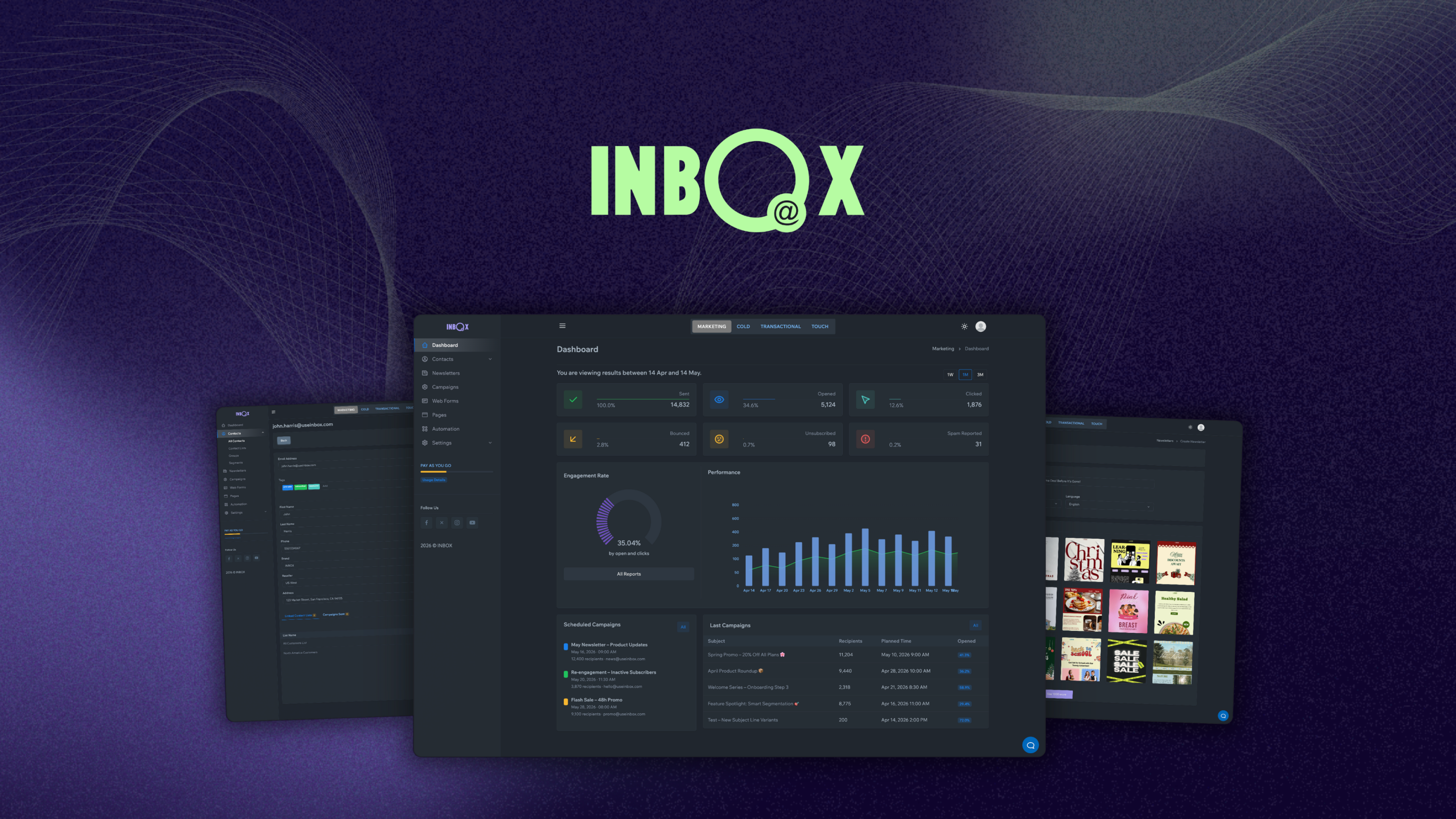
The drag-and-drop email editor felt quick. I built a brand-safe template in under 10 minutes. I liked block-level controls for padding, buttons, and images. I could save content blocks for reuse, which sped things up. The template library is decent, but smaller than giants like Mailchimp—worth noting if you want hundreds of prebuilt layouts.
Automation was the surprise win. I set triggers like “joined list,” “opened last campaign,” and “clicked link.” The flow builder is visual and clear. I added delays, conditions, and tags without hunting for options. It is not as deep as enterprise tools, but it covered almost all my use cases. The only con here: I wanted more native e‑commerce triggers out of the box. You can work around that with API or Zapier-style connectors, but more direct store events would be nice.
I tracked results in real time. Opens, clicks, device data, and link performance updated fast. UTM tagging was simple, so I could check traffic in Google Analytics right away. Deliverability looked solid in my tests to Gmail and Outlook inboxes. INBOX guides you through SPF/DKIM setup and domain tracking, which is key. I would love a built-in pre-send spam test and inbox preview suite. It is not a deal breaker, but it would help perfectionists.
Forms and segments were easy. I created a lead form, embedded it, and then built a segment for “clicked last 30 days.” I ran a subject line A/B test on a small batch. Setup took one minute. The results were clear, and I pushed the winner to the full segment. That speed is a big plus. On the flip side, native integrations are growing but still fewer than what I get with long-standing platforms. If you rely on very niche tools, plan to use webhooks or an integration hub.
Overall, INBOX does what it claims: fast design, simple automation, and clean analytics. It hits the sweet spot for price-to-power, which is why this INBOX Lifetime Deal Review is so positive—with a few cautions for power users.

What Makes It Stand Out / Key Features
- Drag-and-drop email builder with reusable blocks and mobile-ready templates
- Real-time analytics: opens, clicks, link heatmaps, devices, geolocation insights
- Visual automation builder with triggers, conditions, tags, and delays
- List management with segments, tags, double opt‑in, and bounce handling
- A/B testing for subject lines and content, with auto-select of winner
- Deliverability tools: custom sending domain, SPF/DKIM guidance, unsubscribe handling
- Forms and embeddable widgets for list growth; simple landing options
- UTM tracking and link management for clean reporting
- Team roles and permissions for collaboration
- API and webhook support for custom workflows

What I Like
- Fast setup from zero to first campaign in under an hour
- Clean editor that keeps design on-brand without fiddly controls
- Automation that is powerful enough for most small teams
- Analytics that update in real time and are easy to act on
- Clear deliverability setup that improves inbox placement
- Handy A/B testing that takes seconds to launch
- Reusable content blocks that cut build time across campaigns
- Simple segmentation for engagement and behavior targeting
- Solid value in the lifetime deal compared to monthly tools
- Helpful onboarding tips right where you need them
What Can be improved
- Smaller template library than legacy email providers
- Limited native e‑commerce and niche integrations; rely on API/zaps
- Advanced reporting (cohort, revenue attribution) is lighter than enterprise tools
Pricing And Affordability
Here’s how the INBOX lifetime tiers are structured on AppSumo at the time of this INBOX Lifetime Deal Review. Always check the live page for the latest limits and availability.
| Plan (Lifetime) | Best For | Contacts Limit | Monthly Email Sends | Seats | Brands/Domains | Core Features Included |
|---|---|---|---|---|---|---|
| Tier 1 | Solo creators, starters | 5,000 | Unlimited | 1 | 1 | All core features |
| Tier 2 | Growing small teams | 15,000 | Unlimited | 3 | 3 | All core features |
| Tier 3 | Agencies and pros | 30,000 | Unlimited | 5 | 5 | All core features |
- AppSumo 60-day money-back guarantee applies.
- Stacking higher tiers increases core limits and seats.
- Features are the same across tiers; limits scale with your needs.
Note: Pricing and limits can change. Visit the deal page to confirm the current offer for this INBOX Lifetime Deal Review.

Why should you buy INBOX
If you want a tool that gets you from idea to send fast, INBOX is hard to beat. You get a friendly editor, a visual automation builder, strong deliverability help, and real-time analytics—without a monthly bill creeping up as you grow. In my hands-on INBOX Lifetime Deal Review, the platform hit the mark for creators, consultants, and small shops who need dependable email marketing with room to scale. You will trade some deep e‑commerce triggers and advanced reports, but the value is excellent. If you are tired of rising subscriptions and want lifetime access to core email power, INBOX is a smart, low-risk buy—backed by AppSumo’s refund window.
Lifetime Deal Overview of INBOX
| Item | Details |
|---|---|
| Deal Type | Lifetime access via AppSumo |
| Core Features | Email builder, automations, segmentation, A/B tests, analytics, forms |
| Limits by Tier | Contacts, seats, and brand/domain slots scale with tier |
| Email Sends | Unlimited monthly sends (per AppSumo listing at time of review) |
| Support & Updates | Future plan updates (within deal’s terms), standard support |
| Refund Policy | 60-day AppSumo money-back guarantee |
| Ideal Users | Solo creators, SMBs, agencies needing predictable, one-time pricing |
Comparison With Competitors of INBOX
| Product | Pricing Model | Strengths | Where INBOX Wins | Best For |
|---|---|---|---|---|
| INBOX | Lifetime (AppSumo) | Simple builder, real-time analytics, great value | One-time cost, fast setup | Creators, SMBs, agencies |
| Mailchimp | Monthly | Large template library, many integrations | Lower long-term cost with lifetime deal | Brands needing many integrations |
| MailerLite | Monthly/Freemium | Clean UI, solid automations, landing pages | Lifetime pricing, competitive limits | Bloggers, small teams |
| Brevo (Sendinblue) | Monthly | Transactional email + marketing suite | Lifetime value, simpler learning curve | Mixed transactional + marketing |
| ConvertKit | Monthly | Creator-focused automations, tagging | Lower TCO, easier starter setup | Creators with digital products |
| ActiveCampaign | Monthly | Deep automations, CRM | Cost savings, quicker to master basics | Advanced automation users |

FAQ Of The INBOX Lifetime Deal Review
Is INBOX beginner-friendly?
Yes. In my INBOX Lifetime Deal Review tests, I went from import to first send fast. The UI is clear, the editor is smooth, and onboarding tips help you avoid mistakes.
Does INBOX support custom domains and authentication?
Yes. You can add a custom tracking domain and set up SPF/DKIM. That helps inbox placement and keeps your brand consistent.
Can I run automations like welcome series and re‑engagement flows?
Absolutely. You can trigger flows by joins, opens, clicks, tags, and time delays. It covers most small-business needs.
What about deliverability?
INBOX guides you through best practices. With proper list hygiene and authentication, I saw solid inbox placement during this INBOX Lifetime Deal Review.
Is there a refund if it is not a fit?
Yes. AppSumo typically offers a 60-day money-back guarantee, which applies to this deal.
Conclusion
INBOX delivers the core email marketing stack—design, automation, and analytics—without the monthly drain. My hands-on INBOX Lifetime Deal Review found it fast to set up, easy to run, and strong on the features that matter most. If you want predictable costs and reliable tools to grow your list and sales, this lifetime offer is a smart bet. Power users may want deeper reports and more native integrations, but the value per dollar is excellent. If email is key to your growth this year, INBOX earns a spot on your shortlist.