Wondering how many people can use the same NordVPN account? You’re not alone.
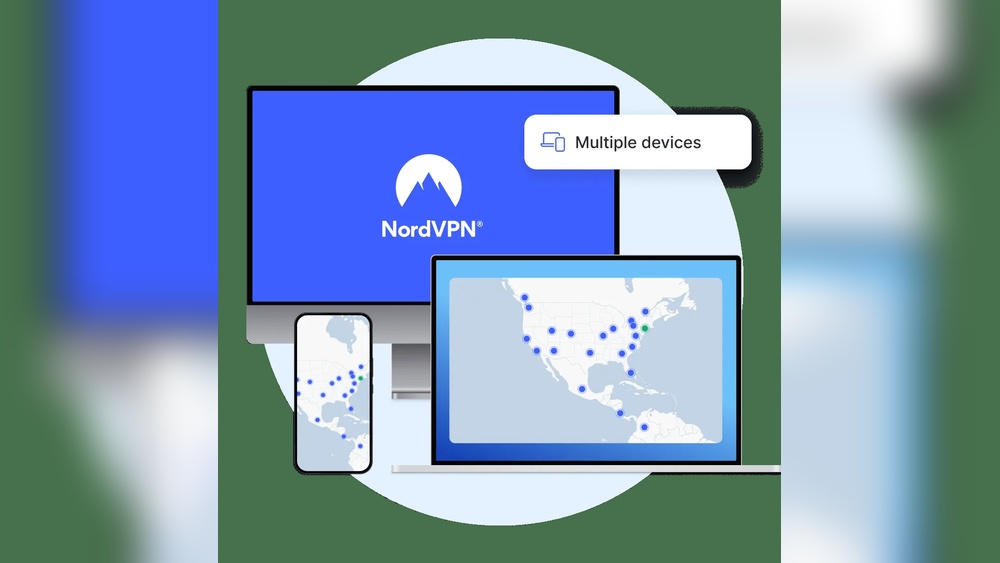
Whether you want to protect your devices, share security with family, or keep friends safe online, knowing the limits and rules around sharing your VPN is crucial. NordVPN lets you connect up to 10 devices simultaneously, but what does that mean for multiple users?
Can you share your account without risking your privacy or speed? Keep reading to discover exactly how many people can use one NordVPN account, how sharing works, and what you need to watch out for to stay safe and secure online. Your online freedom and protection depend on it.
Introduction To Nordvpn Account Sharing
NordVPN is a popular VPN service designed to protect your online privacy. Many users wonder about sharing their account. Understanding how many people can use one NordVPN account helps manage security and convenience. This section explains key details about NordVPN account sharing.
Understanding Nordvpn And Its Purpose
NordVPN encrypts your internet connection to keep data safe. It blocks phishing, scams, and malware to protect your devices. The service supports up to 10 devices simultaneously on a single account.
It works on all major platforms, including Windows, macOS, Android, iOS, and browser extensions. NordVPN gives users control over their digital life and privacy.
- Encrypts internet traffic for security
- Protects against malware and scams
- Supports up to 10 devices with one account
- Offers apps for multiple platforms
Can Multiple People Use One Nordvpn Account?
Yes, multiple people can use the same NordVPN account. The subscription links to the account, not individuals. You can share login details safely but with some caution.
| Feature | Details |
|---|---|
| Device Limit | Up to 10 devices connected at the same time |
| Account Sharing | Share login with family or friends, but they get access to settings and billing |
| Router Setup | Use NordVPN on a router to cover multiple devices under one connection |
| Security Advice | Only share with trusted people; unknown users can affect your account |
| Meshnet Feature | Be careful linking unknown devices to your network for safety |
Important points:
- Sharing is possible but limits are set by device connections.
- Account owners should trust shared users to avoid risks.
- Family sharing is common but exposes account details.
- Using a router can simplify protecting many devices.
Key Features Supporting Multiple Users
NordVPN allows multiple users to share one account safely and effectively. Its design supports simultaneous connections on several devices. These features make it ideal for families, friends, or small teams. Understanding these key features helps users maximize their VPN experience.
Device Limit: What It Means For Users
Each NordVPN account can secure up to 10 devices at the same time. This means you can protect your phone, laptop, tablet, and more with just one subscription. The device limit encourages sharing while keeping your data safe.
| Device Type | Supported Platforms |
|---|---|
| Smartphones | iOS, Android |
| Computers | Windows, macOS, Linux |
| Browsers | Chrome, Firefox (via extensions) |
| Others | Routers, Smart TVs |
This limit lets multiple users connect without interruption. It also supports varied device types under one account.
Account-based Access: Sharing Login Details Securely
NordVPN subscriptions link to an account, not to individual users. Sharing login details is possible but must be done carefully. Only share with trusted people to keep your account secure.
- Users share the same username and password
- Everyone gets access to the same settings
- Billing and subscription details are visible to all users
Be cautious. Sharing login details means others can change settings or affect your account. Protect your password and only share it with people you trust.
Router Setup: Extending Protection To Multiple Devices
Setting up NordVPN on a router covers all devices connected to that router. This method counts as one device toward your device limit. It offers a simple way to protect many devices at once.
- Install NordVPN on your compatible router.
- Connect devices to the router’s Wi-Fi.
- All internet traffic goes through the VPN.
This setup is perfect for homes or small offices. It protects devices that do not support VPN apps directly, such as smart TVs or gaming consoles.
Family Sharing: Benefits And Access Considerations
NordVPN’s device limit allows families to share one account easily. Family members can connect multiple devices without extra cost.
- Easy management of up to 10 devices
- Shared protection from malware and scams
- Access to all VPN features for everyone
Remember, sharing means all members can see account settings and billing info. Trust is essential to keep the account safe and private.
How Many Devices Can Connect Simultaneously?
NordVPN allows multiple devices to connect at the same time using a single account. This feature suits families, friends, or individuals with many gadgets. Knowing the device limit helps you manage your connections better and avoid disruptions. Understanding performance changes with more connections is also important.
Official Device Limit And Its Implications
NordVPN supports up to 10 devices simultaneously on one account. This means you can protect all your phones, laptops, tablets, and other devices without extra cost.
- The account is tied to your login, not individual users.
- Sharing credentials lets others use your account, but they can see your account settings.
- Be careful sharing with untrusted people to avoid security risks.
This limit encourages secure family or small group sharing. It also means you must track device connections to avoid hitting the cap and losing access.
Impact On Speed And Performance With Multiple Connections
Connecting many devices at once can affect your internet speed. Each device consumes bandwidth through the VPN tunnel.
More simultaneous connections may:
- Reduce overall speed for each device.
- Cause occasional connection drops if bandwidth is limited.
- Increase latency depending on server load.
Using fewer devices or selecting nearby servers can keep speeds stable. NordVPN’s fast servers help reduce slowdowns but can’t eliminate them entirely with many devices active.
Using Nordvpn On Different Device Types Across Locations
NordVPN works on all major platforms with dedicated apps:
| Device Type | Supported Platforms | Notes |
|---|---|---|
| Smartphones | iOS, Android | Apps available in App Store and Google Play |
| Computers | Windows, macOS, Linux | Custom apps for easy setup |
| Browsers | Chrome, Firefox | Proxy extensions for quick access |
| Routers | Various models | Protects all connected devices via router |
You can connect devices from different places simultaneously. This allows use at home, work, or on the move without restrictions.
Keep in mind that sharing your account widely increases risk. Only connect trusted devices to protect your privacy and data.

Credit: support.nordvpn.com
Important Security Considerations When Sharing
Sharing a NordVPN account allows multiple users to connect securely. Yet, it requires careful attention to security. Protecting your login details is essential to avoid misuse. Controlling who accesses your account helps keep your data safe. Understanding these security concerns improves your online privacy and experience.
Risks Of Sharing Account Credentials
Sharing NordVPN login information with others can lead to risks. Anyone with credentials can change account settings or view your private data. Untrusted users might misuse the account or cause service interruptions.
- Unauthorized Access: Others may log in from unknown locations.
- Data Exposure: Personal info and browsing activity could be at risk.
- Account Suspension: Violations by shared users might affect your subscription.
Keep your credentials only with trusted people. Use strong, unique passwords and update them regularly.
Managing Access To Account Settings And Billing Information
NordVPN links subscriptions to accounts, not individuals. Sharing login details means others can see billing and personal information.
| Access Type | What Others Can Do | Security Advice |
|---|---|---|
| Account Settings | Change passwords, connected devices, VPN preferences | Limit sharing to trusted family or close friends |
| Billing Information | View payment methods and subscription details | Do not share with unknown users |
Regularly review your account activity. Remove devices you no longer recognize or trust.
Best Practices For Using Nordvpn Meshnet Feature Safely
NordVPN’s Meshnet lets you connect devices securely over the internet. It creates a private network between your devices and trusted users.
- Link Only Trusted Devices: Avoid connecting unknown or public devices.
- Control Device Permissions: Set limits on what connected devices can access.
- Monitor Connections: Regularly check which devices are linked through Meshnet.
Use Meshnet carefully to maintain your network’s security. It helps share resources safely but requires responsible use.
Pricing And Affordability Breakdown
Understanding NordVPN’s pricing and how it fits different budgets is key. The service offers plans that suit individual users, families, and groups. Each plan allows multiple devices to connect simultaneously, making it affordable to share among trusted users. This section breaks down the subscription options, device limits, and value for money.
Subscription Plans And Device Limits
NordVPN’s subscription plans come with a clear device connection limit.
| Plan Duration | Price (Approx.) | Devices Allowed |
|---|---|---|
| 1 Month | $11.99 | Up to 10 devices |
| 1 Year | $59.00 | Up to 10 devices |
| 2 Years | $89.00 | Up to 10 devices |
The single account allows connection on 10 devices. This means multiple people can use the same account simultaneously, sharing the cost effectively.
Value For Money When Sharing Among Multiple Users
Sharing a NordVPN account spreads the cost across users, making it highly cost-effective.
- One subscription secures up to 10 devices.
- Users can protect phones, laptops, tablets, and more.
- Account-based login means all users access the same plan features.
This makes NordVPN a practical choice for groups wanting strong security without paying for multiple subscriptions.
Cost-effective Options For Families And Groups
Families and groups benefit from NordVPN’s device limits and pricing.
- Share one account among trusted family members or friends.
- Set up the VPN on routers for whole home coverage.
- Use Meshnet carefully to connect devices securely within a group.
Sharing reduces individual costs and keeps online activity secure. Just ensure account details remain private to avoid security risks.

Credit: www.youtube.com
Pros And Cons Of Sharing A Nordvpn Account
Sharing a NordVPN account has both benefits and drawbacks. It allows multiple users to enjoy secure internet access. At the same time, it poses some security and privacy risks. Understanding these pros and cons helps decide if sharing is right for you.
Advantages Of Multi-user Access
- Supports up to 10 devices simultaneously with one account.
- Cost-effective way for families or small groups to protect many devices.
- Easy to share login details with trusted users without creating separate accounts.
- Allows flexible device use across different platforms like phones, tablets, and laptops.
- Convenient setup options, including router configuration, to cover all home devices.
Potential Downsides And Risks
- Shared accounts give access to account settings and billing info to all users.
- Security risks if login details reach untrusted individuals.
- Possible slower speeds if many users connect at once, reaching device or bandwidth limits.
- Users connected through Meshnet need to be cautious linking unknown devices.
- Complicated to manage if users misuse the account or cause suspicious activity.
Real-world User Experiences And Feedback
Many users find sharing NordVPN practical and affordable. Families appreciate protecting multiple devices under one plan. Users report smooth connections and easy setup.
Some users mention concerns about privacy when sharing with less trusted people. Others notice occasional speed drops during peak usage times. Overall, feedback shows sharing works well if users trust each other.
Specific Recommendations For Ideal Users And Scenarios
NordVPN allows up to 10 devices to connect simultaneously with one account. This feature suits many users but varies by needs. Different groups can benefit differently from sharing one account. Choosing the right setup ensures security and smooth use.
Who Should Consider Sharing A Nordvpn Account?
Sharing a NordVPN account fits certain user groups best:
- Families wanting to protect multiple devices.
- Small groups such as roommates or close friends.
- Remote workers needing secure connections across devices.
- Individuals with many personal devices.
Sharing login details is safe only with trusted people. Everyone on the account can access settings and billing info. Limit sharing to maintain security.
Best Practices For Families And Small Groups
Follow these tips for sharing NordVPN within families or small groups:
- Share the account only with people you trust.
- Assign each person their own device(s) to avoid connection conflicts.
- Use strong, unique passwords and update them regularly.
- Monitor usage to ensure no unknown devices connect.
- Discuss privacy expectations within the group.
These steps help protect your account and keep all users safe online.
When To Use Router Setup For Maximum Coverage
Setting up NordVPN on a router extends protection to all devices on your network. This is ideal in these cases:
| Scenario | Benefit |
|---|---|
| Many devices at home or office | Connects unlimited devices through one account slot |
| Devices without VPN apps (smart TVs, game consoles) | Secure devices that lack native VPN support |
| Want simple, network-wide VPN protection | No need to install apps on each device |
Router setup uses one device slot but covers all connected gadgets. It requires some technical knowledge but maximizes coverage and ease.
Credit: www.bestbuy.com
Conclusion: Maximizing Your Nordvpn Account Usage
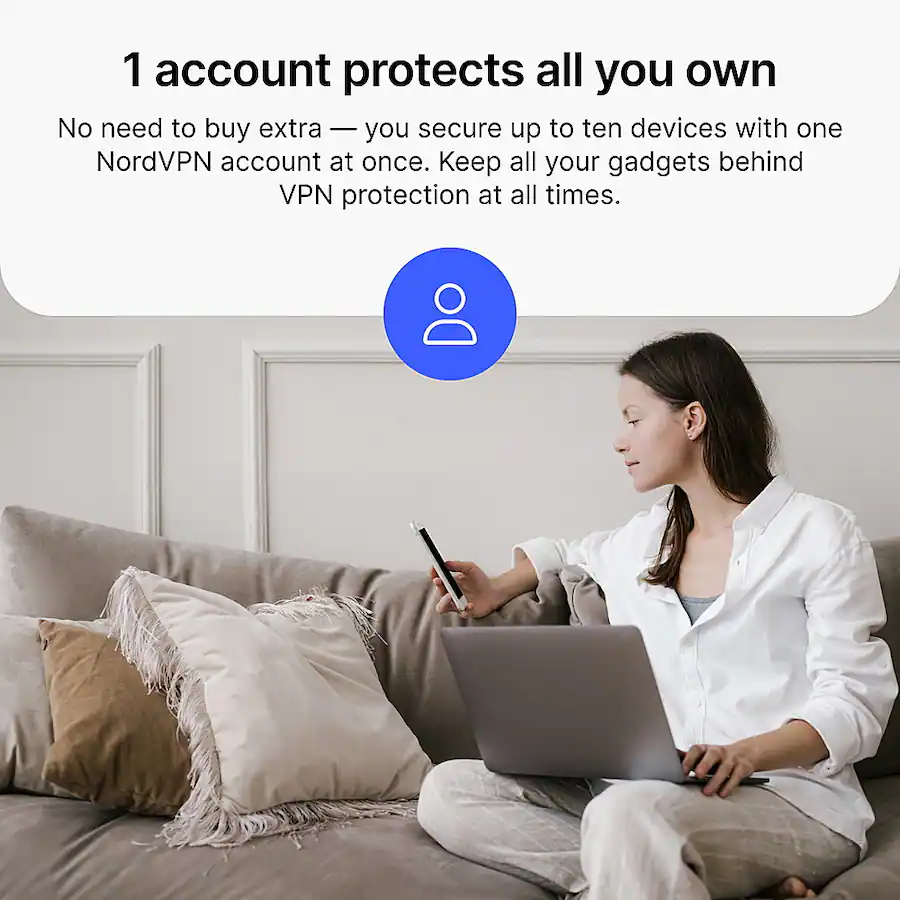
NordVPN allows up to 10 devices to connect simultaneously under one account. This feature lets multiple users share the account, making it ideal for families or small groups. Understanding how to use the account wisely helps keep your connection secure and efficient.
Sharing an account means all users share access to the same settings and billing info. Choose trusted people only. Careful management ensures smooth use without security risks or interruptions.
Summary Of Key Points About Account Sharing
- Device Limit: Up to 10 devices can connect at the same time.
- Account Access: One subscription covers all devices linked to the account.
- Sharing Scope: Sharing with family or close friends is possible but risky if done with strangers.
- Security Risks: Shared accounts expose settings and billing to all users.
- Router Setup: Using NordVPN on a router counts as one device but covers all connected devices.
- Meshnet Feature: Be cautious linking unknown devices to your network.
Final Tips For Secure And Efficient Use
- Limit Sharing: Share login details only with trusted people.
- Monitor Devices: Regularly check connected devices in your NordVPN account.
- Use Strong Passwords: Protect your account with a unique, strong password.
- Update Apps: Keep the NordVPN app updated on all devices.
- Set Up a Router: Connect NordVPN to your router to cover multiple devices efficiently.
- Avoid Unknown Devices: Do not link devices you do not recognize, especially with Meshnet.
Frequently Asked Questions
Can Multiple People Use A Nordvpn Account?
Yes, multiple people can use one NordVPN account. It allows up to 10 simultaneous device connections. Share only with trusted users to keep your account secure.
Can Two People Use The Same Vpn Account At The Same Time?
Yes, two people can use the same VPN account simultaneously if the service allows multiple device connections. Most paid VPNs, like NordVPN, support up to six or ten devices connected at once. Sharing your account is safe only with trusted individuals to protect your privacy and settings.
Can I Share My Nordvpn With My Partner?
Yes, you can share your NordVPN account with your partner. It supports up to 10 simultaneous device connections. Share only with trusted people to keep your account secure.
Does Nordvpn Have A Usage Limit?
NordVPN does not have a data usage limit. You can connect up to 10 devices simultaneously per account.
Conclusion
NordVPN allows up to 10 devices on one account. Sharing with family or friends is possible but requires trust. Everyone using the account can access settings and billing. Be careful with security when sharing login details. Using NordVPN on multiple devices may slow speeds slightly.
Overall, one NordVPN account can serve several users safely. This makes it convenient for families or small groups. Always protect your account information to avoid risks. Visit NordVPN’s official site to learn more about device limits.