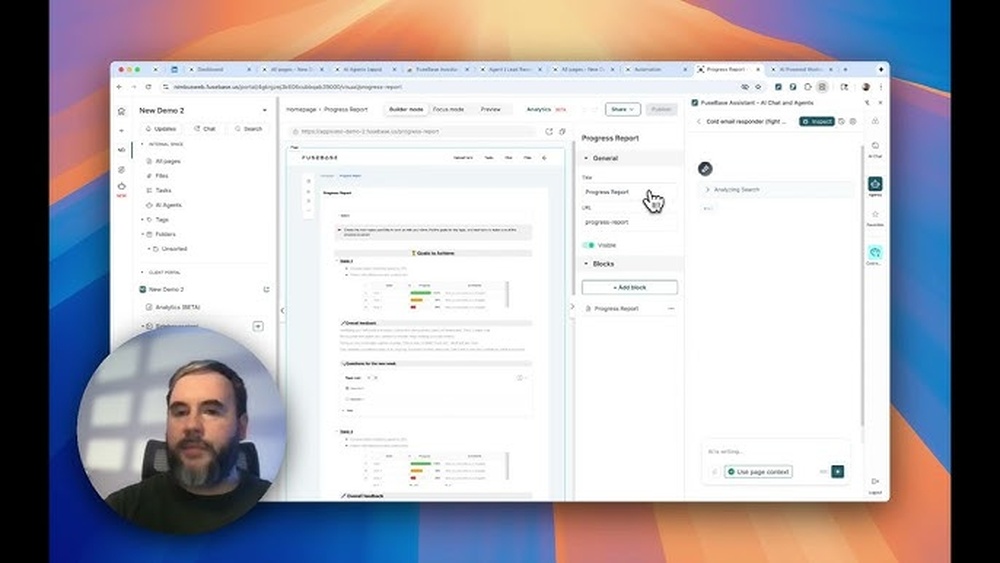
If you’re juggling team projects, client communication, and endless busywork, Fusebase is about to change how you work. Imagine having a secure, AI-powered workspace where your team, clients, and partners all come together effortlessly.
Fusebase lets you create custom portals that keep everyone on the same page, while AI agents handle repetitive tasks, answer questions, and even draft documents for you. Whether you want to automate onboarding, simplify project management, or speed up sales outreach, Fusebase makes it simple and efficient.
Ready to see how Fusebase can transform your workflow and save you time? Keep reading, and I’ll show you exactly how to get started.
Introduction To Fusebase And Its Purpose
FuseBase is designed to simplify teamwork and client collaboration. It merges team management, client portals, and AI automation into one platform. This helps businesses save time and keep work organized in secure spaces.
FuseBase focuses on making workflows smoother and communication clearer. It supports professional services by providing tools that reduce busywork and improve project handling.
What Is Fusebase? Overview Of The All-in-one Collaboration Platform
FuseBase is an all-in-one collaboration tool formerly known as Nimbus. It combines:
- Internal team management
- White-label client portals
- Integrated AI agents
These features exist inside custom workspaces tailored for professional services. FuseBase acts as a central hub where teams and clients can work together without confusion.
How Fusebase Integrates Team Management, Client Portals, And Ai
FuseBase brings together three main parts:
- Team Management: Organize projects, tasks, and deadlines easily.
- Client Portals: Provide clients with secure, branded access to their work and updates.
- AI Agents: Automate routine tasks like drafting, onboarding, and support.
AI agents assist inside documents, emails, and portals. They handle tasks such as:
- Content creation and editing
- Data entry and organization
- Real-time research and outreach
Why Fusebase Is A Game-changer For Professional Services Workflow
FuseBase improves professional services by:
- Keeping teams and clients connected in one place
- Reducing manual tasks with AI support
- Securing all communication and data
- Offering easy onboarding through automated portals
This platform helps maintain trust by ensuring smooth collaboration. Teams spend less time on busywork and more on delivering value to clients.
Credit: thefusebase.com
Key Features That Make Fusebase Unique
FuseBase stands out as a powerful tool for teamwork and client collaboration. It combines AI-powered automation with secure portals and simple project management. This platform helps teams, clients, and partners work together smoothly. The features below reveal why FuseBase is a great choice for managing projects and communication.
Client Portals: Creating Branded, Interactive Spaces For Clients
FuseBase offers secure client portals that can be fully branded. These portals create a dedicated, interactive space for clients to view progress, share feedback, and access documents. Clients feel more involved without needing to learn complex tools.
- Custom branding to match your company’s style
- Easy access to project updates and files
- Interactive features for real-time collaboration
- Improved client trust through transparency
Ai Agents: Intelligent Assistants For Automation, Content Generation, And Support
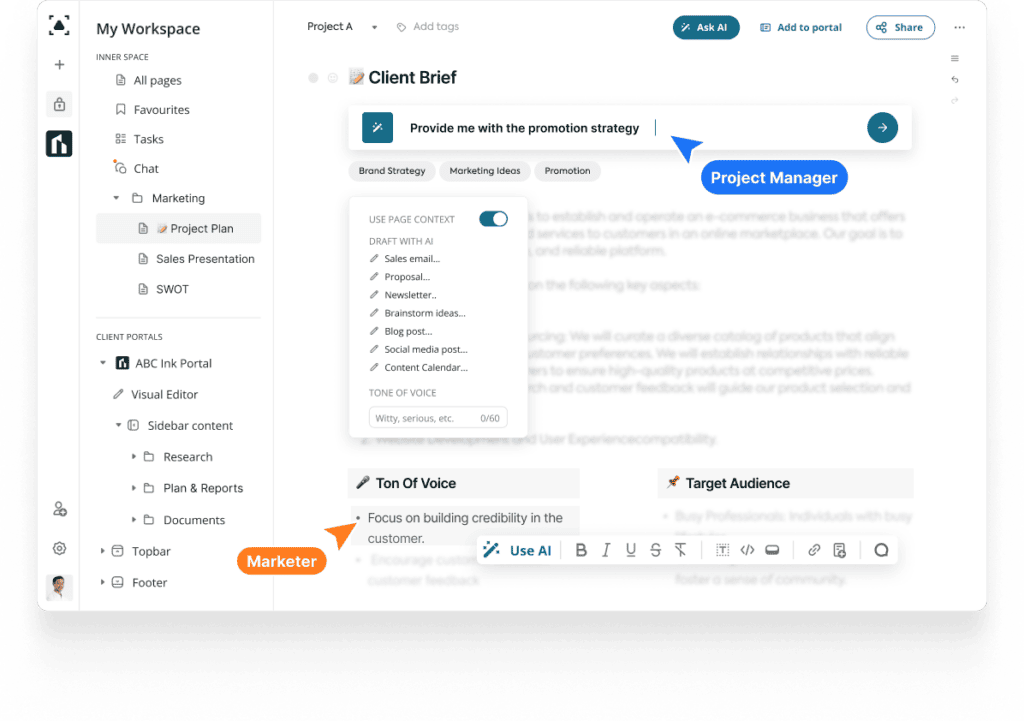
FuseBase includes AI agents that act as intelligent helpers. These agents automate busywork and provide instant support. Use them to generate content, manage data, or assist clients.
- Automate email replies and sales research
- Embed agents into portals for onboarding and support
- Use AI inside documents for drafting and organizing
- Activate agents directly from your browser
Workspaces: Organizing Internal Teams And External Partners Seamlessly
Workspaces keep your internal teams and external partners organized in one place. FuseBase lets you control who sees what, making collaboration clear and secure.
- Create separate spaces for teams, clients, or partners
- Set permissions to control access
- Keep conversations and files in context
- Reduce confusion by centralizing communication
Automation Capabilities: Building Multi-step Workflows To Save Time
FuseBase supports multi-step automation workflows that save time on repetitive tasks. These workflows connect actions across different tools and teams.
- Trigger actions based on events or conditions
- Automate task assignments and notifications
- Streamline client onboarding and project updates
- Reduce manual data entry and errors
Content And Project Management Tools: Drag-and-drop Interfaces And Task Boards
Managing projects is easy with FuseBase’s drag-and-drop interfaces and task boards. These tools help keep work visible and organized.
| Feature | Benefit |
|---|---|
| Drag-and-drop editing | Quickly organize documents and tasks |
| Visual task boards | Track project progress at a glance |
| Real-time updates | Keep everyone informed instantly |
| Collaborative notes | Share ideas and feedback easily |
Ai-powered Content Processing: Transcribing Videos And Providing Contextual Answers
FuseBase uses AI to transcribe videos and offer contextual answers. This feature helps teams find information faster and understand content clearly.
- Automatic transcription of meetings and videos
- Searchable text to locate key points quickly
- AI-generated answers based on context
- Supports better decision making and knowledge sharing
How Fusebase Works: Step-by-step Guide
FuseBase simplifies teamwork and client collaboration through secure, AI-powered workspaces. This guide walks you through using FuseBase effectively. Follow these clear steps to build spaces, add content, deploy AI agents, and set up automations. Each step enhances productivity and streamlines your workflow.
Building A Space: Using Templates And Custom Layouts For Various Needs
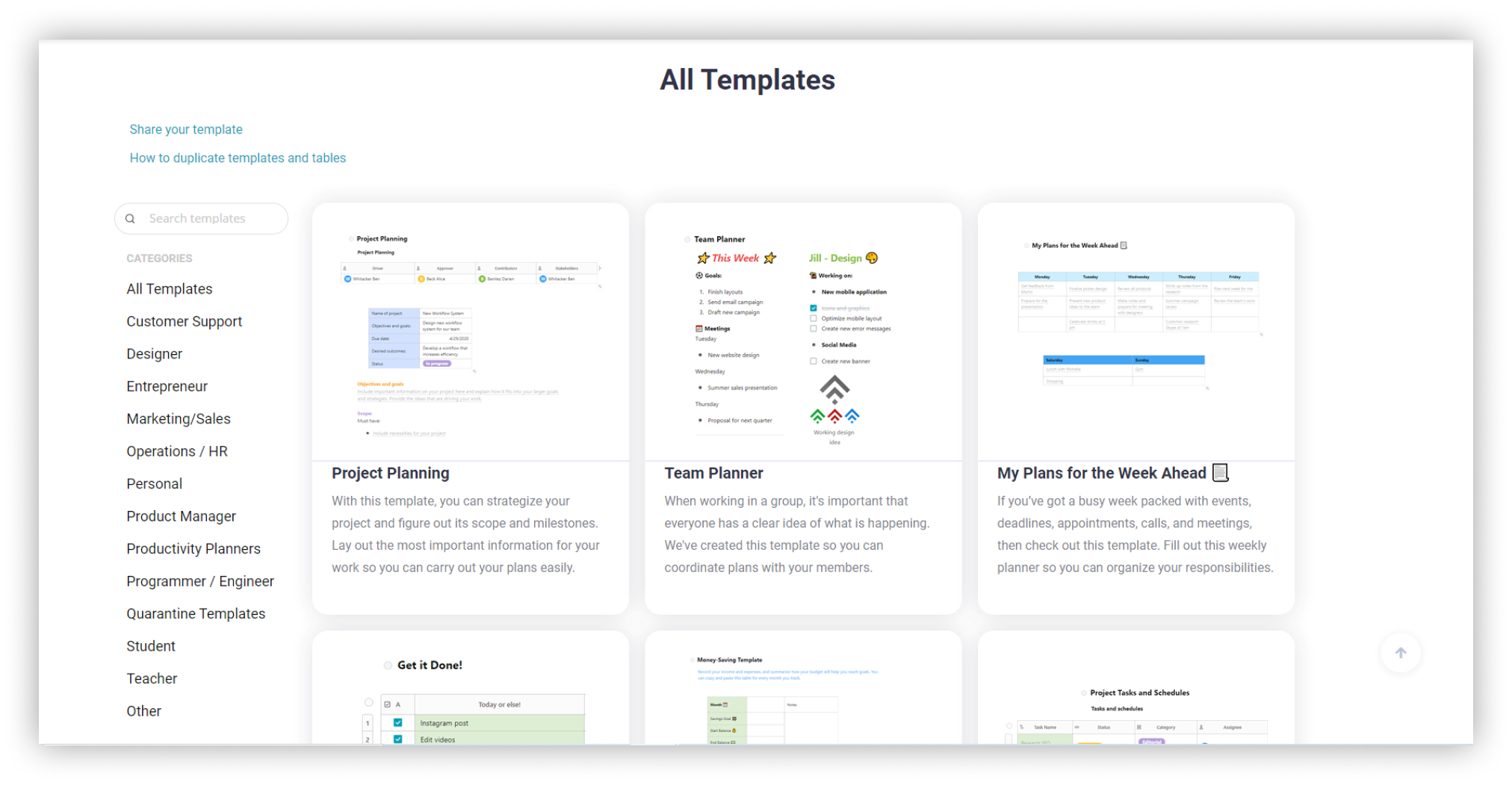
Start by creating a space tailored to your project or client. FuseBase offers pre-built templates that fit common use cases like project management, client portals, or partner collaboration.
- Select a template to save time on setup.
- Customize the layout to match your team’s workflow.
- Add sections like task lists, calendars, or notes.
Custom layouts let you design your space from scratch. Drag and drop blocks for documents, videos, or chat. Organize content so your team and clients can access what they need easily.
Adding Content: Uploading And Organizing Documents, Videos, And Files
Populate your space by uploading files and media. FuseBase supports multiple formats:
| Content Type | Examples | Purpose |
|---|---|---|
| Documents | PDFs, Word files, spreadsheets | Share reports, contracts, and spreadsheets |
| Videos | Training clips, presentations | Provide tutorials or demos |
| Files | Images, audio, other media | Support communication with visuals or sound |
Organize your files with folders and tags. Clear organization helps everyone find content fast and keeps your workspace neat.
Deploying Ai Agents: Training And Integrating Ai For Enhanced Productivity
FuseBase includes powerful AI agents that automate tasks and assist your team. To deploy AI agents:
- Choose an AI agent type based on your needs, like onboarding or customer support.
- Train the agent with your documents and data for context.
- Integrate the agent inside your space or embed it within documents.
AI agents can draft content, organize data, and respond to queries. They save time and reduce manual work by handling routine tasks.
Setting Up Automations: Streamlining Tasks Like Lead Follow-up And Call Summarization
Automations in FuseBase cut down repetitive work. Use automations to:
- Send lead follow-up emails automatically.
- Summarize calls and meetings instantly.
- Trigger notifications for task deadlines.
- Update project statuses without manual input.
Set up automation rules with simple triggers and actions. This keeps your team informed and tasks moving smoothly without extra effort.
Pricing And Affordability Breakdown
Understanding the pricing structure of FuseBase helps teams choose the right plan. FuseBase offers flexible options that fit different team sizes and needs. This section breaks down the costs and features to guide your decision. It also compares FuseBase with similar tools in the market.
Overview Of Fusebase Pricing Plans And What They Include
FuseBase has multiple pricing plans designed to serve various team sizes and project needs. Each plan includes access to AI-powered portals, client collaboration, and task automation.
| Plan | Price (Monthly) | Main Features |
|---|---|---|
| Starter | $15 |
|
| Professional | $40 |
|
| Enterprise | Contact for pricing |
|
All plans include secure, AI-powered workspaces and 24/7 AI assistant support.
Evaluating Cost Versus Features For Small To Large Teams
Small teams benefit from the Starter plan with its affordable price and essential features. It supports basic project management and client portals.
Medium to large teams find value in the Professional plan. It offers more users and advanced AI tools that automate busywork and improve collaboration.
Large enterprises need custom pricing. They get full access to all features and tailored integrations. The dedicated support helps manage complex workflows.
- Starter: Best for freelancers and small teams.
- Professional: Suitable for growing teams requiring automation.
- Enterprise: Ideal for large organizations needing customization.
How Fusebase’s Pricing Compares To Similar Collaboration Tools
FuseBase pricing is competitive among AI-driven collaboration platforms. It offers more AI features than many competitors at similar price points.
| Tool | Starting Price (Monthly) | Key Features |
|---|---|---|
| FuseBase | $15 | AI agents, client portals, automation |
| Tool A | $20 | Project management, limited AI |
| Tool B | $25 | Collaboration, basic automation |
FuseBase’s AI-powered features add extra value. Teams gain automation without higher costs.
Pros And Cons Based On Real-world Usage
Understanding the practical benefits and drawbacks of Fusebase helps teams decide if it fits their workflow. Users share insights on how its features perform in daily tasks. These real-world experiences reveal what works well and what challenges may arise.
Advantages: Centralized Workflow, Powerful Ai Integration, And Customization
Centralized Workflow: Fusebase brings all teamwork, client collaboration, and project management into one place. This central hub reduces switching between apps and keeps communication clear.
- Team members and clients use the same platform
- White-label client portals maintain brand consistency
- Secure, role-based access controls protect sensitive data
Powerful AI Integration: AI agents automate many routine tasks. They assist in onboarding, drafting documents, organizing information, and even real-time email or sales research.
- Speeds up busywork and reduces manual errors
- Embedded AI in documents improves productivity
- Browser-activated AI agents help with LinkedIn prospecting
Customization: Teams can tailor workspaces, portals, and AI agent behavior to fit specific needs. The flexibility supports various industries and workflows.
- Custom workspaces for different projects or clients
- Personalized AI responses and automation rules
- Branding options for client-facing portals
Challenges: Learning Curve And Potential Overhead For Smaller Teams
Fusebase’s many features can overwhelm new users. It requires some time to learn and configure properly.
- Initial setup can be complex for teams without dedicated admin
- Smaller teams may find the platform’s scope more than needed
- Advanced AI features need training to use effectively
Some users report that managing client portals and AI agents adds overhead. This can slow down teams without clear processes or roles assigned.
User Feedback Highlights: What Professionals Appreciate Most And Least
| What Professionals Appreciate Most | What Professionals Appreciate Least |
|---|---|
|
|
Credit: thefusebase.com
Ideal Users And Use Case Recommendations
FuseBase fits teams and professionals who need smooth collaboration and clear client communication. It blends team project management with custom client portals and smart AI tools. This makes FuseBase perfect for groups needing secure, automated workflows and easy sharing. Below, find who benefits most, best use scenarios, and tips to tailor FuseBase to your workflow.
Who Benefits Most: Professional Services, Agencies, And Collaborative Teams
Professional services like consultants, lawyers, and accountants gain from FuseBase’s secure portals and AI automation. Agencies managing multiple clients enjoy simplified client updates and project tracking. Collaborative teams in marketing, design, or IT use FuseBase to centralize work, reduce email clutter, and keep everyone aligned.
- Professional Services: Secure client portals protect sensitive data.
- Agencies: Streamlined client communication boosts satisfaction.
- Collaborative Teams: AI agents automate repetitive tasks efficiently.
Best Scenarios: Client Communication, Project Management, And Knowledge Sharing
| Scenario | How FuseBase Helps |
|---|---|
| Client Communication | White-label portals let clients access updates anytime, reducing emails. |
| Project Management | Central dashboards track tasks, deadlines, and team progress in real-time. |
| Knowledge Sharing | AI agents organize and draft documents, making info easy to find. |
How To Maximize Fusebase For Your Specific Workflow Needs
- Identify key tasks that consume time, such as client onboarding or report generation.
- Set up custom portals for clients or partners to share updates and documents securely.
- Use AI agents inside docs to draft content, automate data entry, and support quick responses.
- Embed AI assistants in portals to help onboard clients or answer common questions automatically.
- Activate browser AI agents for real-time tasks like email automation or research during work.
Customize FuseBase by aligning AI agent roles with your team’s daily activities. Monitor usage to refine workflows and increase efficiency. This approach makes FuseBase an integral part of your work routine.
Conclusion: Boosting Your Workflow With Fusebase
FuseBase enhances teamwork and client collaboration through AI-powered workspaces. It blends project management with client portals to simplify communication. The platform’s AI agents automate routine tasks, saving time and effort. Teams get a secure, centralized hub that supports smooth workflows and faster results.
Summary Of Key Benefits And Unique Features
- AI Agents: Automate emails, data entry, and client support inside documents and portals.
- Client & Partner Portals: Create white-label spaces that clients and partners find easy to use.
- Secure Collaboration: Protect sensitive information with robust security controls.
- Streamlined Workflows: Combine team management and client communication in one platform.
- Real-Time Assistance: AI agents offer quick help for onboarding, research, and content drafting.
Getting Started Tips To Unlock Fusebase’s Full Potential
- Set Up Your Workspace: Organize projects, clients, and partners into clear portals.
- Activate AI Agents: Use them for automated onboarding, support, and daily tasks.
- Customize Portals: Brand client spaces to reflect your business identity.
- Integrate Communication: Embed chat and document collaboration tools inside portals.
- Train Your Team: Share best practices for using AI and portal features efficiently.
Future Outlook: Evolving With Fusebase For Continuous Improvement
FuseBase is designed to grow with your team and clients. Expect ongoing updates that add new AI capabilities and security features. The platform adapts to changing workflows and business needs. Regularly review your use of AI agents and portals to refine processes. Staying engaged with FuseBase ensures steady productivity gains and stronger client relationships.

Credit: www.youtube.com
Frequently Asked Questions
What Is Fusebase?
FuseBase is a collaboration platform that combines team management, client portals, and AI-powered automation. It centralizes project management, knowledge sharing, and communication with AI agents that generate content, answer questions, and automate workflows within custom workspaces.
What Is Fusebase Used For In Business?
FuseBase is an all-in-one platform for managing projects, teams, and clients. It integrates AI to automate tasks and improve collaboration. It centralizes workflows, client portals, and content management in one place.
How Do Ai Agents Work In Fusebase?
AI agents in FuseBase are trained on your content to answer questions, summarize data, and automate tasks. They provide contextual support within workspaces and client portals, enhancing productivity and communication.
Can Fusebase Replace Multiple Tools?
Yes, FuseBase combines project management, client collaboration, automation, and AI features. It acts as a single command center to reduce the need for separate apps, streamlining your business processes efficiently.
Conclusion
Fusebase simplifies teamwork and client collaboration with ease. It offers smart AI agents to handle busywork quickly. Teams can manage projects and share files in one place. Clients enjoy clear, branded portals for smooth communication. Fusebase helps save time by automating routine tasks.
Using Fusebase keeps your work organized and efficient. Start using it to improve your team’s productivity today.